Started by fred_tomke ·
2010-01-05 13:42 UTC ·
6 replies · SMF topic #1110
fred_tomke
2010-01-05 13:42 UTC
Hello,
please have a look at the Grid sample. When I append a column the CalcColumnWidth method returns the width of the new column. But unfortunately it is too small on XP with enabled visual styles and normal font size. I have to add another 15 pixels to make the full title visible. Does this depend on OS and Visual Styles?
Fred
owenwengerd
2010-01-06 18:19 UTC
The MSDN documntation mentiones that "The returned width takes into account the control's current font and column margins, but not the width of a small icon." Does that explain the difference you're seeing?
fred_tomke
2010-01-06 18:49 UTC
Hello, Owen, unfortunately it does not explain it in detail or I didn't understand quite well.
[...]but not the width of a small icon.
There is no icon the column header?!
Fred
owenwengerd
2010-01-06 18:53 UTC
I think the problem has no easy solution, other than to always add 12 or so pixels to the result. CalcColumnWidth calculates the minimum width of a column in he list control, but this is not necessarily the minimum width needed for the same text in the header control. I think the platform and control version could all affect the minimum width needed, but probably the only way to do it is to add a fixed number of pixels plus the image width if there is an icon.
I changed the code int he Grid sample to the following, and it seems to work on my Windows 7 system:
(Setq cWidth (+ (dcl_Grid_CalcColWidth GRID_Dcl-1_grid1 txt) (if (>= cImg 0) 48 12)))
velasquez
2010-01-06 21:18 UTC
Using the same subject.
Was a ToolTip already included to show larger texts than the field in Grid?
Thanks,
velasquez
owenwengerd
2010-01-07 07:09 UTC
author=velasquez link=topic=1110.msg5900#msg5900 date=1262812708 wrote:
Was a ToolTip already included to show larger texts than the field in Grid?
I've added that for Alpha 19.
fred_tomke
2010-01-07 07:39 UTC
author=owenwengerd link=topic=1110.msg5898#msg5898 date=1262804034 wrote:
I changed the code int he Grid sample to the following, and it seems to work on my Windows 7 system:
(Setq cWidth (+ (dcl_Grid_CalcColWidth GRID_Dcl-1_grid1 txt) (if (>= cImg 0) 48 12)))
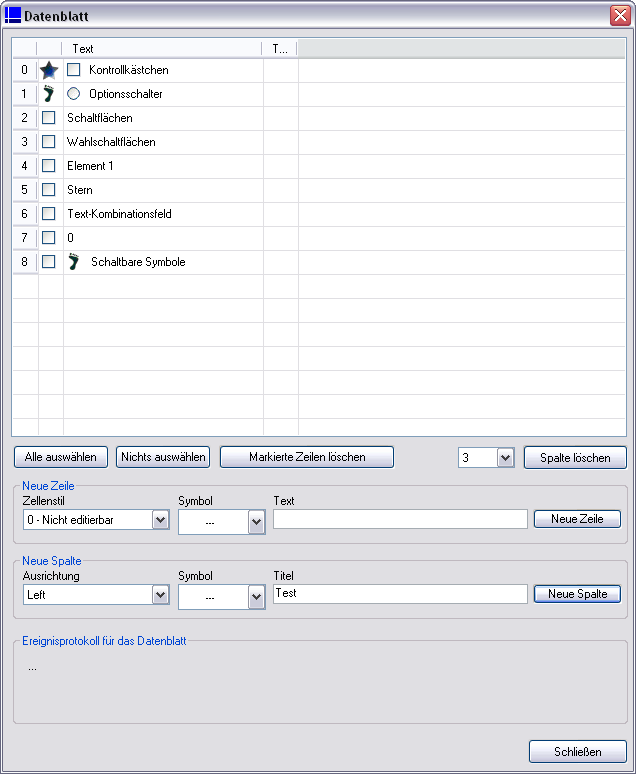
Owen, I 've uploaded new DEU grid sample files. We had a test on Win XP, Vista and Win7. We've found out that it must be added another 15 pixels using VisualStyles and normal system fontsize with wndows default font.
I also changed the icon size to 16x16 because sometimes the column icon is larger than the height of column header. That looks not nice so I decided to resize.
Fred
 screen.png (20150 bytes)