Started by velasquez ·
2010-01-26 17:49 UTC ·
14 replies · SMF topic #1151
velasquez
2010-01-26 17:49 UTC
Hi Owen
See in this video that happens when I work with dcl_Form_Resize.
Velasquez
owenwengerd
2010-01-26 19:49 UTC
Can you be more specific about what the problem is?
BTW, I enever received a reply to my email about the file that you sent recently by email.
velasquez
2010-01-26 21:57 UTC
Owen,
I didn't receive your e-mail.
I will see what happened with my internet provider.
BTW, will post a gif showing as mine form works with OpenDCL 4.1.2.2
velasquez
2010-01-26 22:37 UTC
Owen
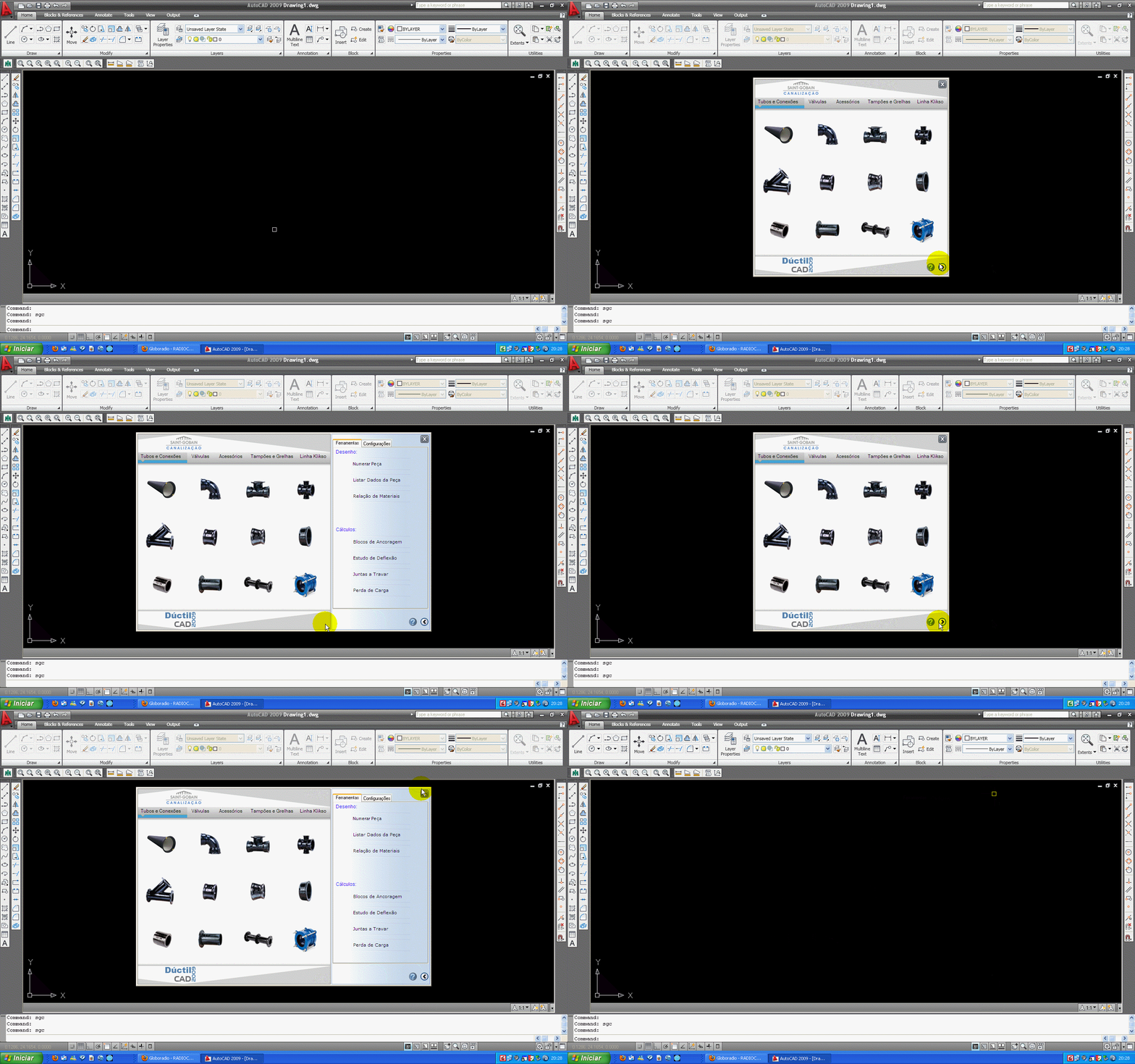
Please see what happens with the position of the small buttons when I use dcl_Form_Resize in OpenDCL 4.1.2.2.
Thanks
Kerry Brown
2010-01-27 09:37 UTC
velasquez
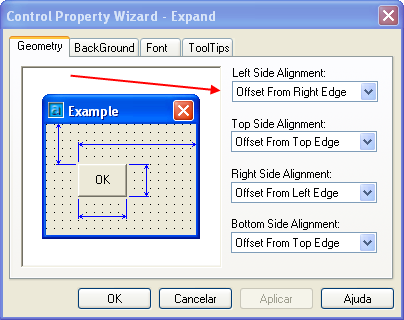
How is the button location defined ?
From Left or from Right ??
velasquez
2010-01-27 10:31 UTC
Hi Kerry,
I defined the location like Rigth.
Kerry Brown
2010-01-27 10:51 UTC
Change the 2 buttons to be 'LEFT from the LEFT' edge.
Then they won't move when you resize the form.
velasquez
2010-01-27 11:16 UTC
The one that I want is that the buttons move with the resize in the way.
The first image that I posted display the buttons moving but a copy of the image is arrested in the origin place.
The second image shows the movement corrteto of the buttons with Resize.
But that is gotten with an old version of OpenDCL.
velasquez
2010-01-27 11:49 UTC
I observed that this problem doesn't always happen just after several actions.
This can be related with operating system problems.
owenwengerd
2010-01-27 17:41 UTC
This should be a problem that is easy to fix if I can reproduce it here. Can you send me a test case and instructions for reproducing?
velasquez
2010-01-27 20:12 UTC
Ok Owen,
I will prepare the files and to post here.
I will make this next weekend.
velasquez
2010-02-02 11:05 UTC
Hi Owen
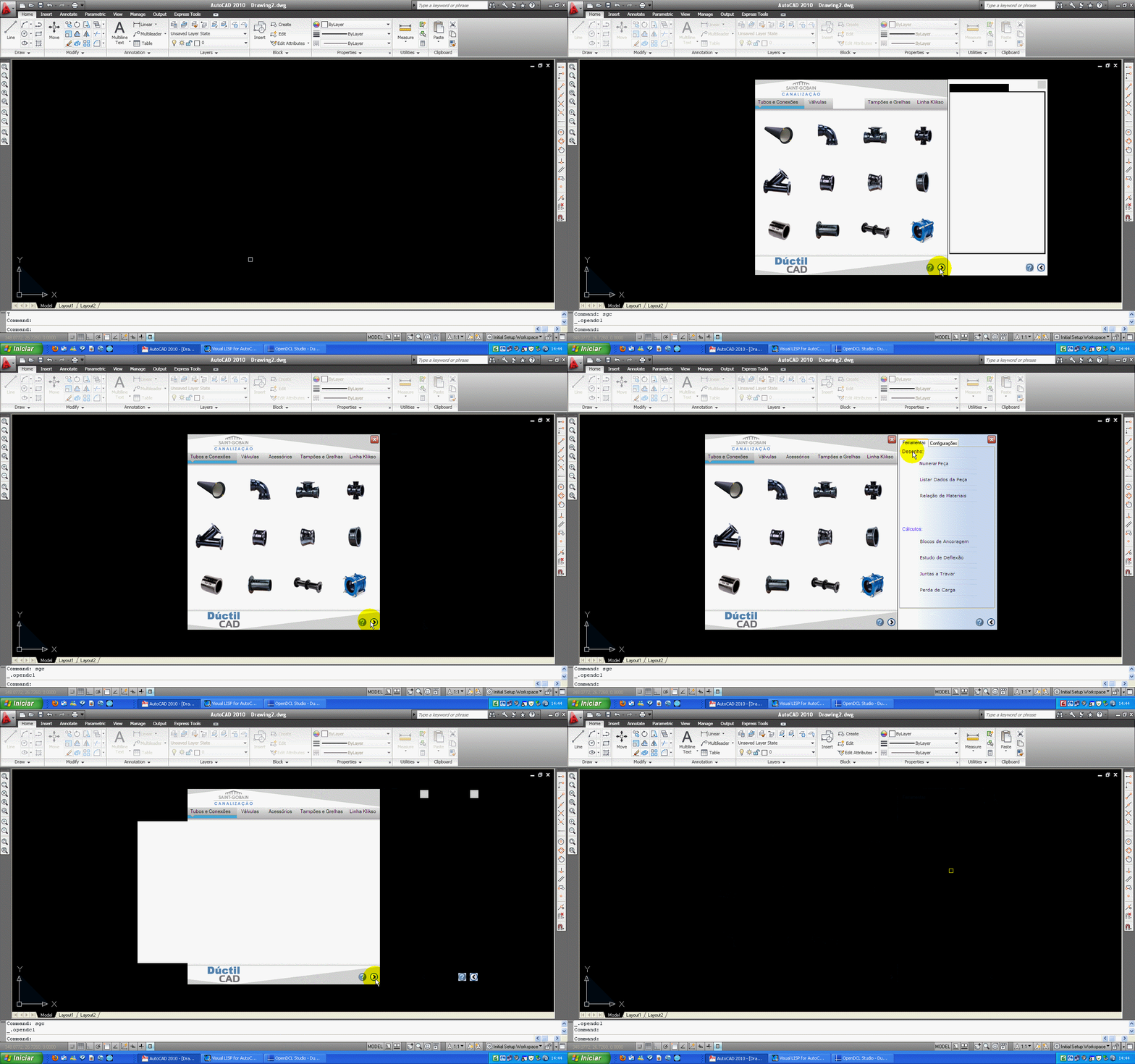
I am posting the files for you to reproduce the problem that I found.
See below in the illustration how to reproduce the problem.
owenwengerd
2010-02-02 20:48 UTC
This problem is caused by an optimization in the way picture boxes work. After the picturebox is finished painting itself, it takes a snapshot of wha is displayed, then just repaints the saved snapshot. In this case, the saved snapshot includes the overlapped buttons if they happen to be painted after the background and before the snapshot is saved.
You should be able to refresh the background picture box to repaint it without using the saved snapshot. If you call dcl_PictureBox_Refresh after the expansion is complete, your dialog should work correctly. Please try this and reply here to let me know whether that resolves the problem.
velasquez
2010-02-02 22:09 UTC
OK very good dcl_PictureBox_Refresh made my dialogue to work correctly
I will speak about a new problem.
After the expansion i completes I call (dcl_Form_Center DuctilCAD_DuctilCAD_MainForm)
please see as the buttons they are shown in the screen of AutoCAD.
Didn't this happen some work before it is possible with this?
owenwengerd
2010-02-04 00:42 UTC
author=velasquez link=topic=1151.msg6176#msg6176 date=1265148563 wrote:
After the expansion i completes I call (dcl_Form_Center DuctilCAD_DuctilCAD_MainForm)
please see as the buttons they are shown in the screen of AutoCAD.
Didn't this happen some work before it is possible with this?
I'm not sure what you mean. I tested your file, and although I think it's a bad UI design to change the dialog position when expanding and collapsing, it appears to work as expected on my system.
 ExpandOrCollapse.gif (654595 bytes)