2010-02-12 07:42 UTC
Hello,
I've extracted a small function of mine for you to ask for a little help:
In the attachment you can find a project, a lisp, and two drawings.
I've also tried to make invisible and visible again, I also used ZOrder and so on. But I cannot keep the middle toolbar open after a new LoadDWG. Maybe there is another way I still don't to change the view without loading the file agein. Maybe you have an idea.
Thanks for watching.
P.S. Just before you begin: let's bet how many controls does this form contain? :)
Fred
I've extracted a small function of mine for you to ask for a little help:
In the attachment you can find a project, a lisp, and two drawings.
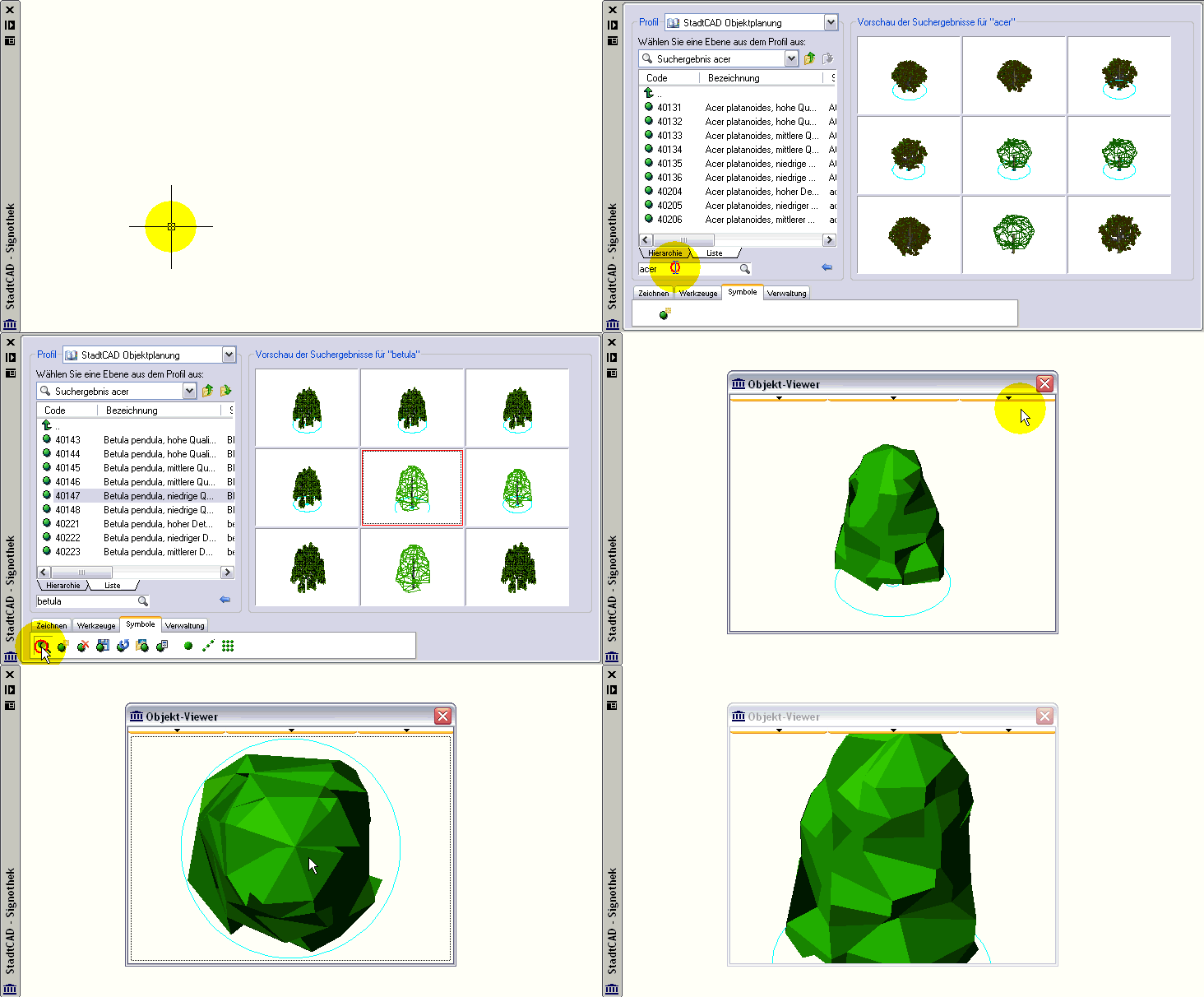
- open up the file drawing.dwg
- load the lisp and make sure that the project is in one of your supportpaths
- start command test_block
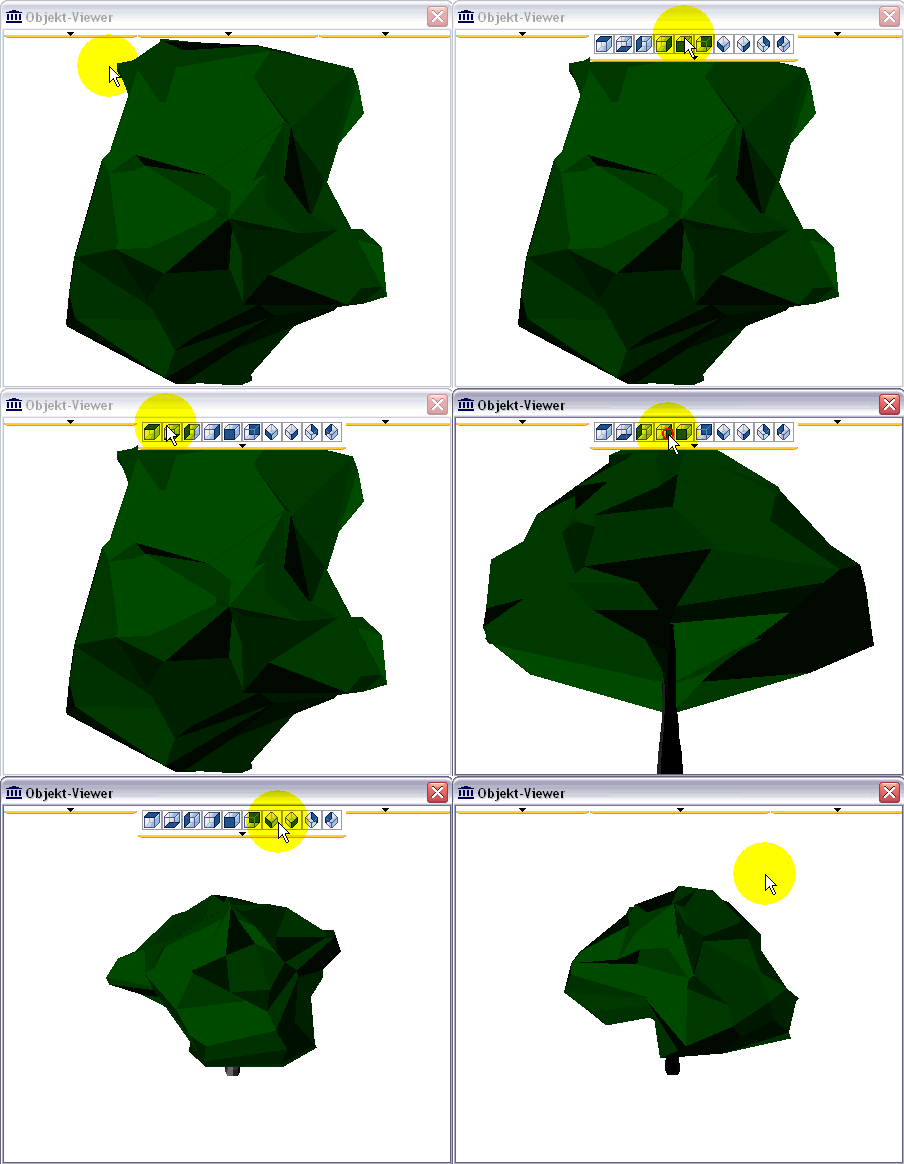
- in the upper middle you can see a pull down, which increases at mouseover
- select an other view
- you cann see the "toolbar" keeps open after clicking
- close the form
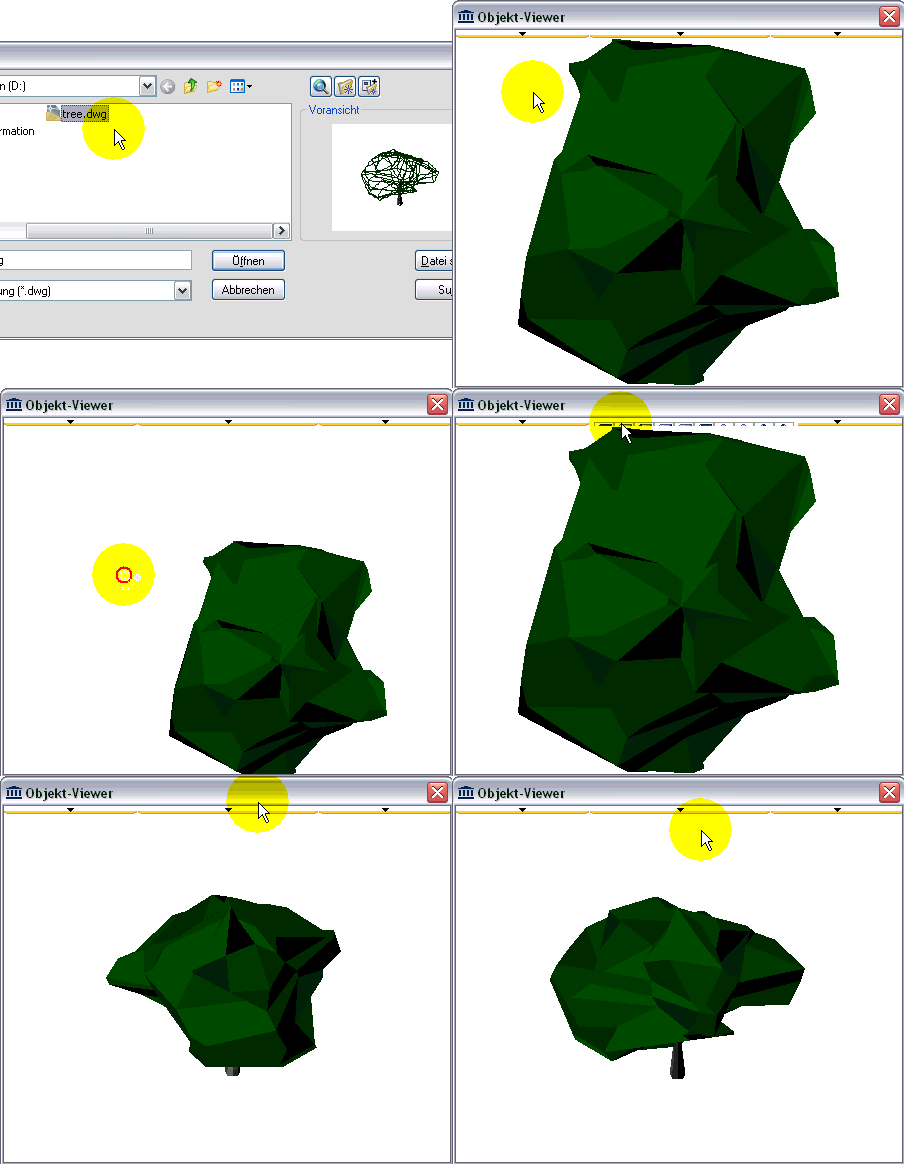
- start command test_dwg and select the tree.dwg of the archive
- you see the same tree
- do as before and select an other view
- suddenly it seems that the toolbar has closed, but it is certainly behind the blockview
- when you have the same test with the toolbars at left or right they still keep open after clicking
I've also tried to make invisible and visible again, I also used ZOrder and so on. But I cannot keep the middle toolbar open after a new LoadDWG. Maybe there is another way I still don't to change the view without loading the file agein. Maybe you have an idea.
Thanks for watching.
P.S. Just before you begin: let's bet how many controls does this form contain? :)
Fred
Attachments
- blockview.zip (130974 bytes)
 test_block.gif (144462 bytes)
 test_dwg.gif (190231 bytes)