Changing Images

Started by caddman6425 · 2012-03-17 15:17 UTC · 4 replies · SMF topic #1775

Got a question.  I’ve got a ODCL file and in the file it has a tab strip. On any particular tab are a bunch of choices, how do I change the image of each choice? :-\
author=caddman6425 link=topic=1775.msg8721#msg8721 date=1331997467 wrote:
Got a question.  I’ve got a ODCL file and in the file it has a tab strip. On any particular tab are a bunch of choices, how do I change the image of each choice? :-\

Assuming the images you want are already in the tab control's image list, you can use the (dcl_Control_SetTabImageList) function to change the tab images at runtime. If you meant to ask about doing this in Studio, let me know and I'll move the thread to that group.
Owen,
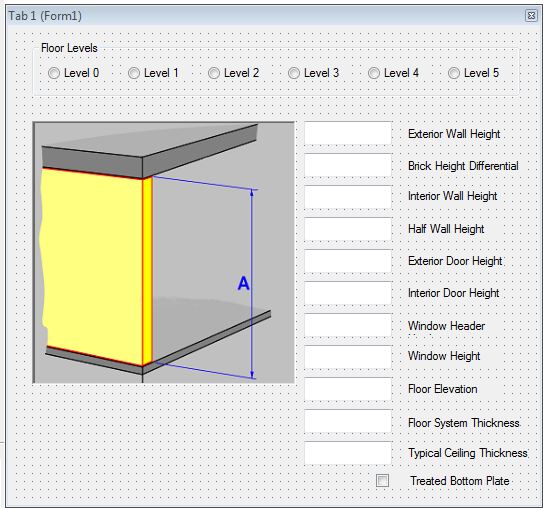
I don't want to change the tab image, but rathar the PIC BOX Image on the individule tab
Attachments
There are several different ways. If the image is already loaded in the picture folder, you can set the Picture property:
{2}

To load one from a file:
{2}
Hi, if you're using many pictures I recommend you to use an external picture library (folder with images) and load them at runtime using {2} as Owen wrote. I made the experience that too many pictures (97 bmp's in my case) blow up the project file that loading the project file is taking a recognizable time.

Regards, Fred