2012-04-18 11:25 UTC
Hello everyone,
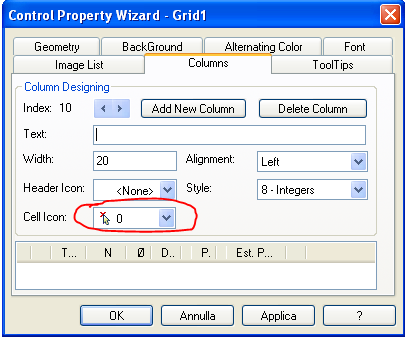
is the first time I use the GRID object and I have some questions:
1. I enter into a cell, a distance. I'd like to enter the value directly or click on Pick Buttons launch a function that allows you to select two points on the AutoCAD screen. Unfortunately, if active style Pick Buttons, on the cell, the user can not enter the value directly, but is obligated to press the button: You can enable the same cell, the double type of input?
2. Alternatively I thought about putting two columns, one for the manual insertion of value and the other with a Pick Buttons allows you to override the value of the first column selecting two points on the AutoCAD screen. This system works but I do not like it because, the Pick Buttons are hidden and appear only when you click on the cell. you can make the Pick Buttons always visible even for cells that are not current?
3. You can add a colored background to some cells or some rows or some columns?
Thanks in advance
is the first time I use the GRID object and I have some questions:
1. I enter into a cell, a distance. I'd like to enter the value directly or click on Pick Buttons launch a function that allows you to select two points on the AutoCAD screen. Unfortunately, if active style Pick Buttons, on the cell, the user can not enter the value directly, but is obligated to press the button: You can enable the same cell, the double type of input?
2. Alternatively I thought about putting two columns, one for the manual insertion of value and the other with a Pick Buttons allows you to override the value of the first column selecting two points on the AutoCAD screen. This system works but I do not like it because, the Pick Buttons are hidden and appear only when you click on the cell. you can make the Pick Buttons always visible even for cells that are not current?
3. You can add a colored background to some cells or some rows or some columns?
Thanks in advance