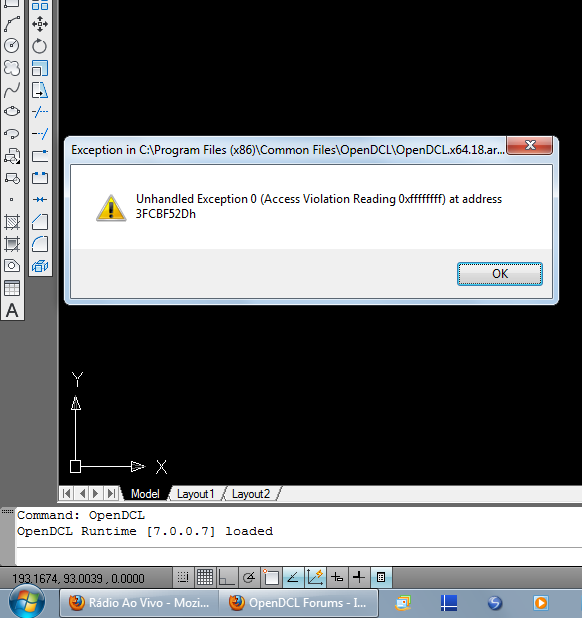
OpenDCL.x64.18.arx unloaded.

Started by velasquez · 2012-09-11 13:21 UTC · 12 replies · SMF topic #1891

The problem happened during a test below with "opendcl.x64.18.arx" version 7.0.0.7 with AutoCAD 2010 and 2011.
If for some reason the arx file is unloaded.
The command OpenDCL emits an error message.
And so will work on another section of the AutoCAD.

I reported the problem because it can happen at any time.

Regards, velasquez


Attachments
I was not able to reproduce the problem in AutoCAD 2010 on Windows 7 64 bit. Can you provide detailed steps to reproduce it?
author=owenwengerd link=topic=1891.msg9297#msg9297 date=1347397316 wrote:
I was not able to reproduce the problem in AutoCAD 2010 on Windows 7 64 bit. Can you provide detailed steps to reproduce it?


Hi Owen
In my test I used:
1 - (arxunload "OpenDCL.x64.18.arx") version "7.0.0.5"

2 - (arxload "OpenDCL.x64.18.arx") version "7.0.0.7"

Thanks
velasquez
Sorry, I don't understand. Here it looks like you are implying that you have manually loaded a different version, then manually unloaded that version and manually loaded the latest version. In your first post you said that the OPENDCL command fails.
This was the best way I've found to show the error.
I always check the version of OpenDCL on the computer that will run my application.
And I load OpenDCL manually.
This worked well until OpenDCL 6.0.2.5.


(cond
  ((null dcl_GetVersionEx)
  (arxload (strcat JoyArxPath JoyArxName) 'nil)
  )
;;;
  ((and dcl_GetVersionEx (/= (dcl_GetVersionEx) "7.0.0.7"))
  (if (arxunload JoyArxName 'nil)
    (arxload (strcat JoyArxPath JoyArxName) 'nil)
  ) ;_ fim de if
  )
  (T)
) ;_ fim de cond
author=velasquez link=topic=1891.msg9304#msg9304 date=1347557323 wrote:
This was the best way I've found to show the error.
I always check the version of OpenDCL on the computer that will run my application.
And I load OpenDCL manually.
This worked well until OpenDCL 6.0.2.5.


(cond
  ((null dcl_GetVersionEx)
  (arxload (strcat JoyArxPath JoyArxName) 'nil)
  )
;;;
  ((and dcl_GetVersionEx (/= (dcl_GetVersionEx) "7.0.0.7"))
  (if (arxunload JoyArxName 'nil)
    (arxload (strcat JoyArxPath JoyArxName) 'nil)
  ) ;_ fim de if
  )
  (T)
) ;_ fim de cond


Hi
Some people worked with similar functions.
Nobody noticed the same problem?

Thanks, velasquez


I was not able to reproduce the problem with some simple testing. What you are doing is very dangerous, because it can break another application. If others are doing this, it is a recipe for disaster.
author=owenwengerd link=topic=1891.msg9347#msg9347 date=1349058325 wrote:
I was not able to reproduce the problem with some simple testing. What you are doing is very dangerous, because it can break another application. If others are doing this, it is a recipe for disaster.


Please I have reason to work this way.
I've had problems with different versions of OpenDCL on one computer.
I can not change what is already installed.
All my apalicativo does is ensure that the correct version is being load.
I make no alreração in that already installed.
In another section of the AutoCAD nothing will change.

The problem is that it always worked well.
If you unload a runtime .arx module that is being used by another application, then you are potentially breaking the other application. Better would be to alert the user and exit your application without causing further problems. In any case, I hope you can find a way for me to reproduce the problem here so I can fix it.
author=owenwengerd link=topic=1891.msg9351#msg9351 date=1349112700 wrote:
If you unload a runtime .arx module that is being used by another application, then you are potentially breaking the other application. Better would be to alert the user and exit your application without causing further problems. In any case, I hope you can find a way for me to reproduce the problem here so I can fix it.


My test application works with OpenDCL "7.0.0.6"
Please download and install on your computer to test.

AutoCAD 32 bit
http://www.easycad.com.br/projeto-saint-gobain/DuctilCAD_2D.1308.130912.0.x32.exe
AutoCAD 64 bit
http://www.easycad.com.br/projeto-saint-gobain/DuctilCAD_2D.1308.130912.0.x64.exe

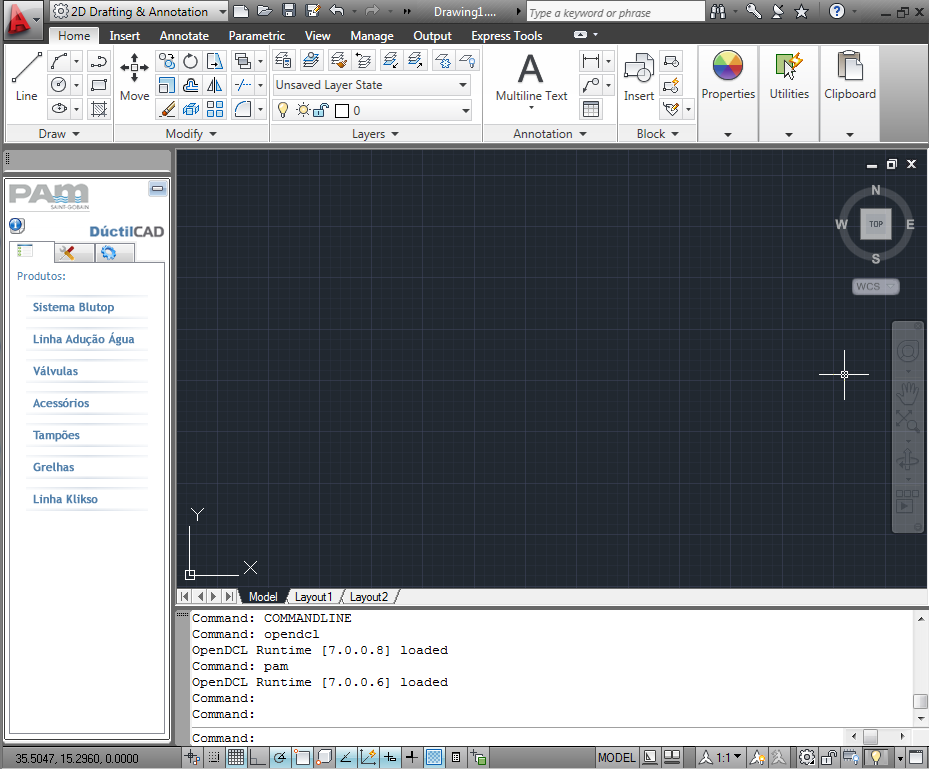
1 - After installation open AutoCAD and has a version loaded OpenDCL different.
2 – Type PAM on the command line.

Thank you for your attention Owen
Sorry, I cannot reproduce the problem.
Attachments
author=owenwengerd link=topic=1891.msg9353#msg9353 date=1349128581 wrote:
Sorry, I cannot reproduce the problem.


Thanks Owen,
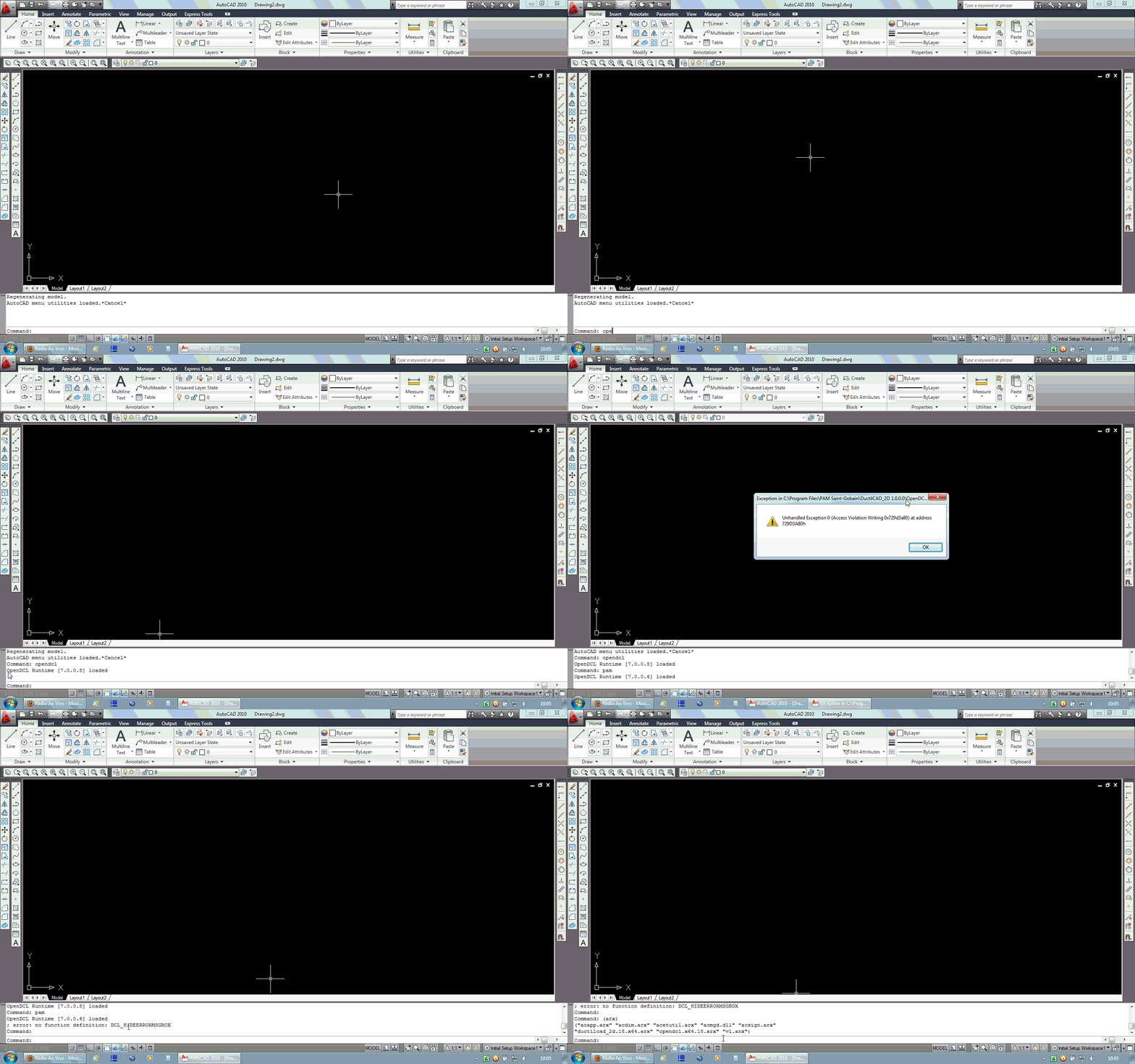
I did the tests again on Windows 7 64 bit.

The problem did not appear with AutoCAD 2013.
But look what happens when I test with AutoCAD 2010 and 2011.
Attachments
I think you need to recreate the problem with the simplest possible test file, then it will be easier to guess what might be going on.