Boards /
Runtime/AutoLISP /
Topic 2086
problems BlockView
Started by garcigj ·
2014-01-10 11:46 UTC ·
18 replies · SMF topic #2086
garcigj
2014-01-10 11:46 UTC
I have encountered problems with BlockView control when a preload of a drawing is made and this blocks are displayed. (dcl_BlockView_PreLoadDwg)
Problems arise when the BlockView resizes in height or width and its dimension is less than or equal to 0.
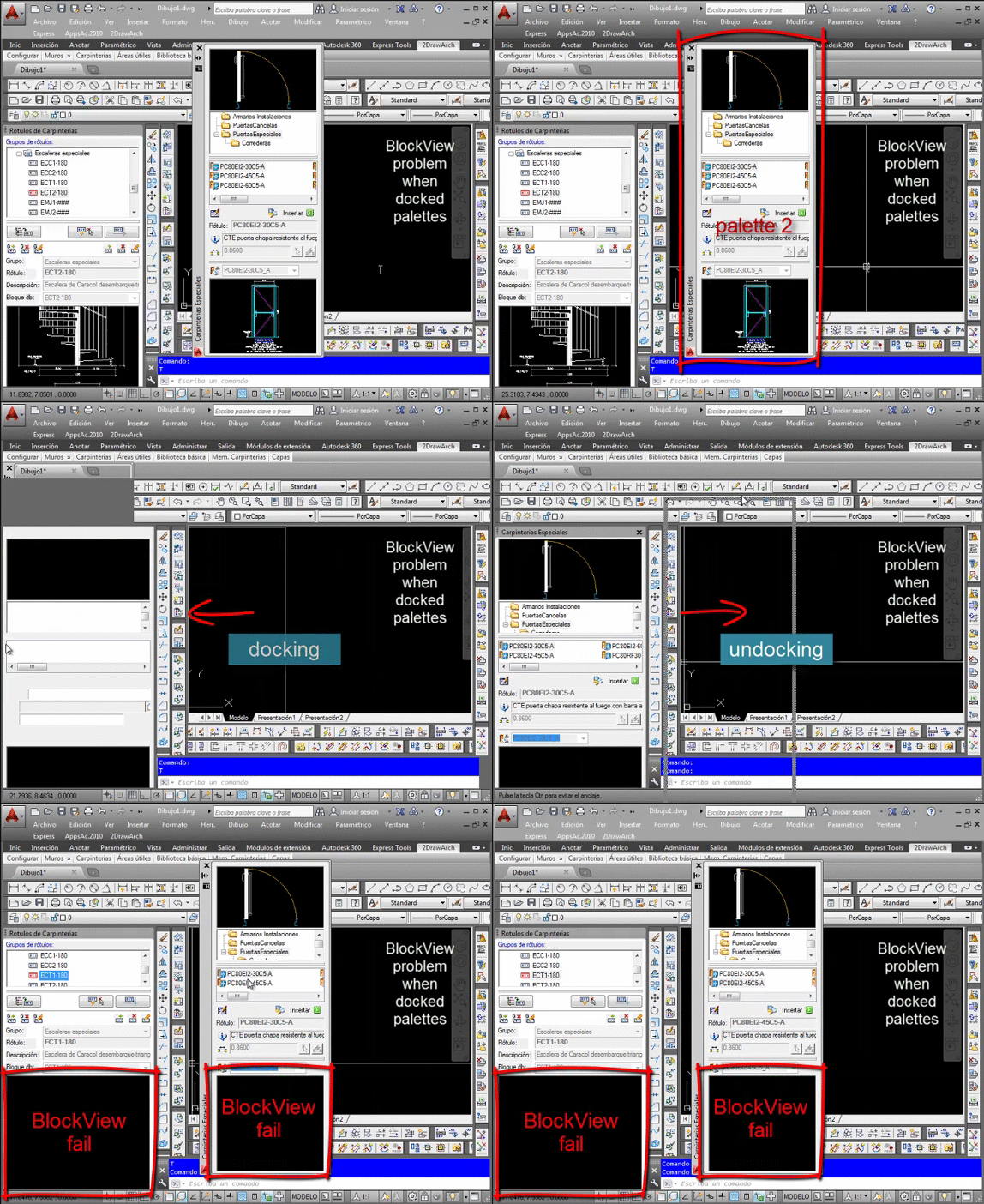
In dockable forms when pallets or controls accumulate bars and BlockView stops working, this is because when these forms are anchored and BlockView is lost, out of view of the application, for example to resize the application window.
The problem can not be resolved, and I tested with dcl_Control_Redraw dcl_BlockView_RefreshBlock, but do not solve the problem. You have to close and reopen the form again. (this is inevitable)
fred_tomke
2014-01-10 11:54 UTC
Hm, quite interesting, haven't seen this yet. I'd bet (dcl_BlockView_RefreshBlock) would did the trick, but you say, it doesn't.
Try a clear in Form_OnSize event and reload the block anew.
This test could fence the problem's source.
Regards, Fred
garcigj
2014-01-10 12:00 UTC
Fred,
This happens only with dcl_BlockView_PreLoadDwg
Not solved with dcl_BlockView_DisplayBlock, we must re-load the drawing dcl_BlockView_PreLoadDwg
this is very problematic.
I will add more examples where the error occurs.
garcigj
2014-01-10 12:42 UTC
(dcl_BlockView_PreLoadDwg)
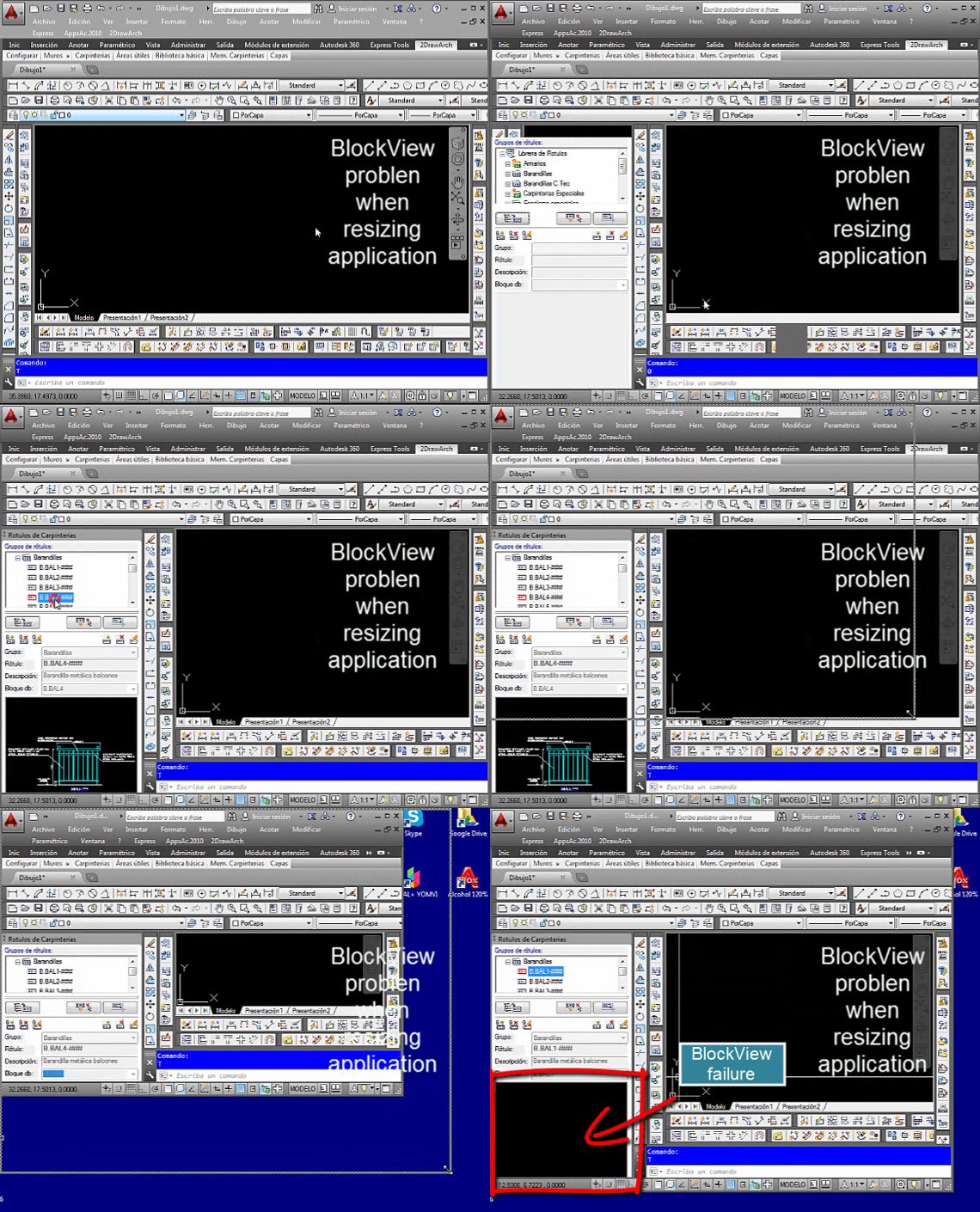
BlockView problem when docked palettes:
garcigj
2014-01-10 13:23 UTC
(dcl_BlockView_PreLoadDwg)
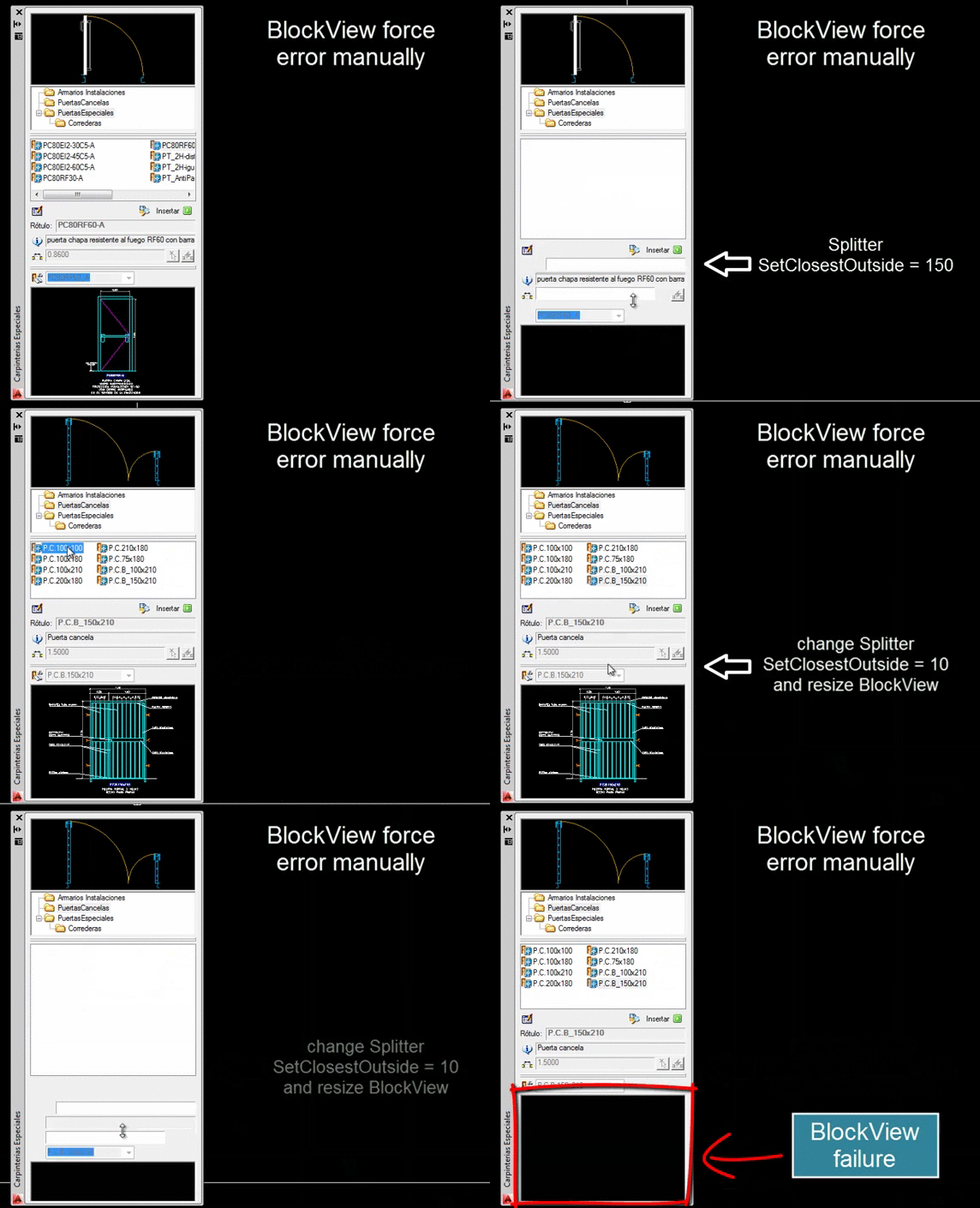
BlockView force error manually
garcigj
2014-01-10 13:28 UTC
I need to publish my application and I can not do with these failures.
Any advice?
sorry for my bad English
owenwengerd
2014-01-10 14:34 UTC
I was able to reproduce the problem in AutoCAD 2010. It looks like AutoCAD's GsView gets confused if one of the control dimensions reaches zero. Bricscad does not have the problem. I added some code to block zero dimensions from being passed along to the underlying GsView, and this seems to solve the problem. In the meantime, I think the only solution is to prevent the blockview control size from reaching zero in either dimension.
garcigj
2014-01-11 17:45 UTC
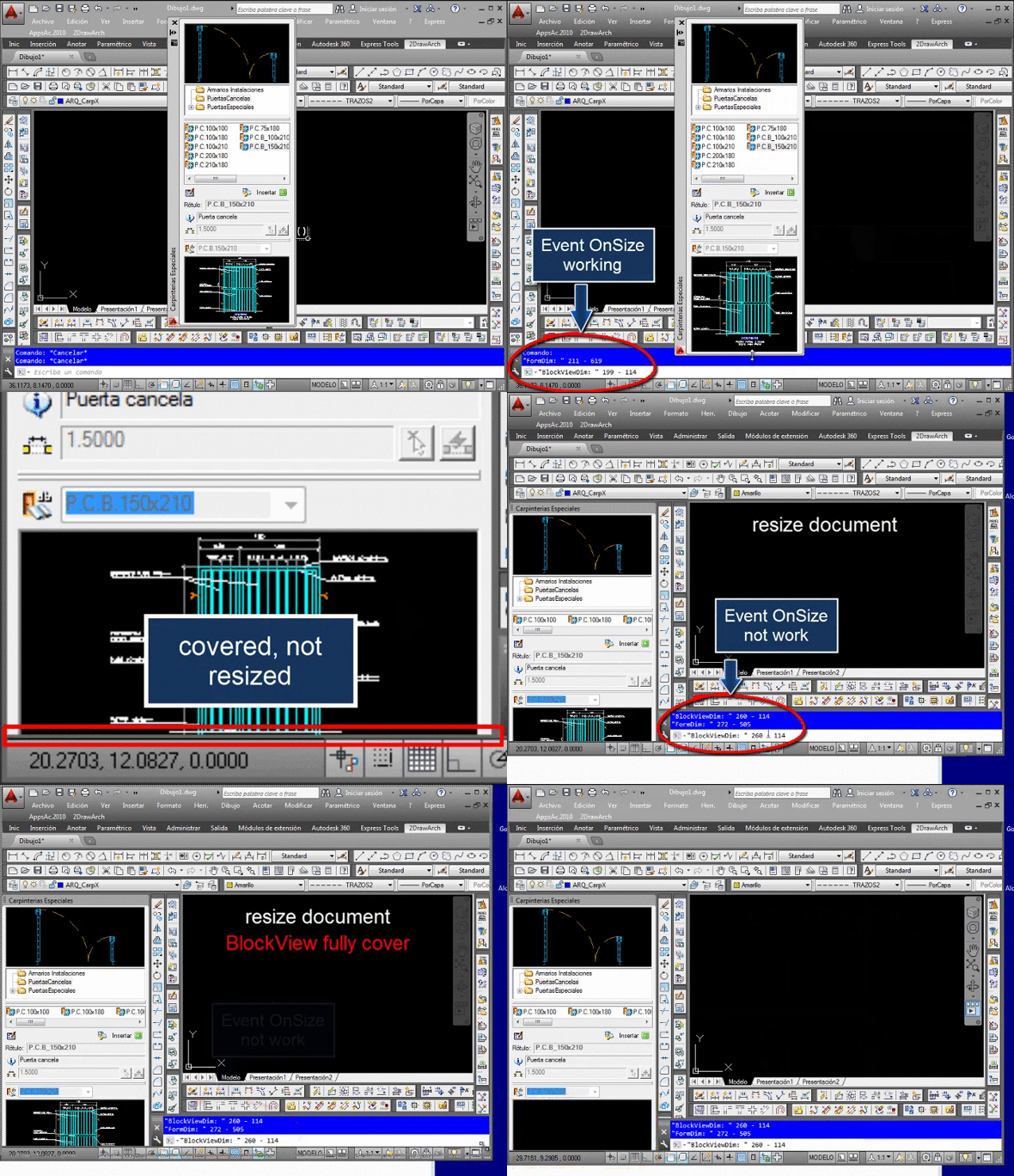
I'm working with OnSize event without good results.
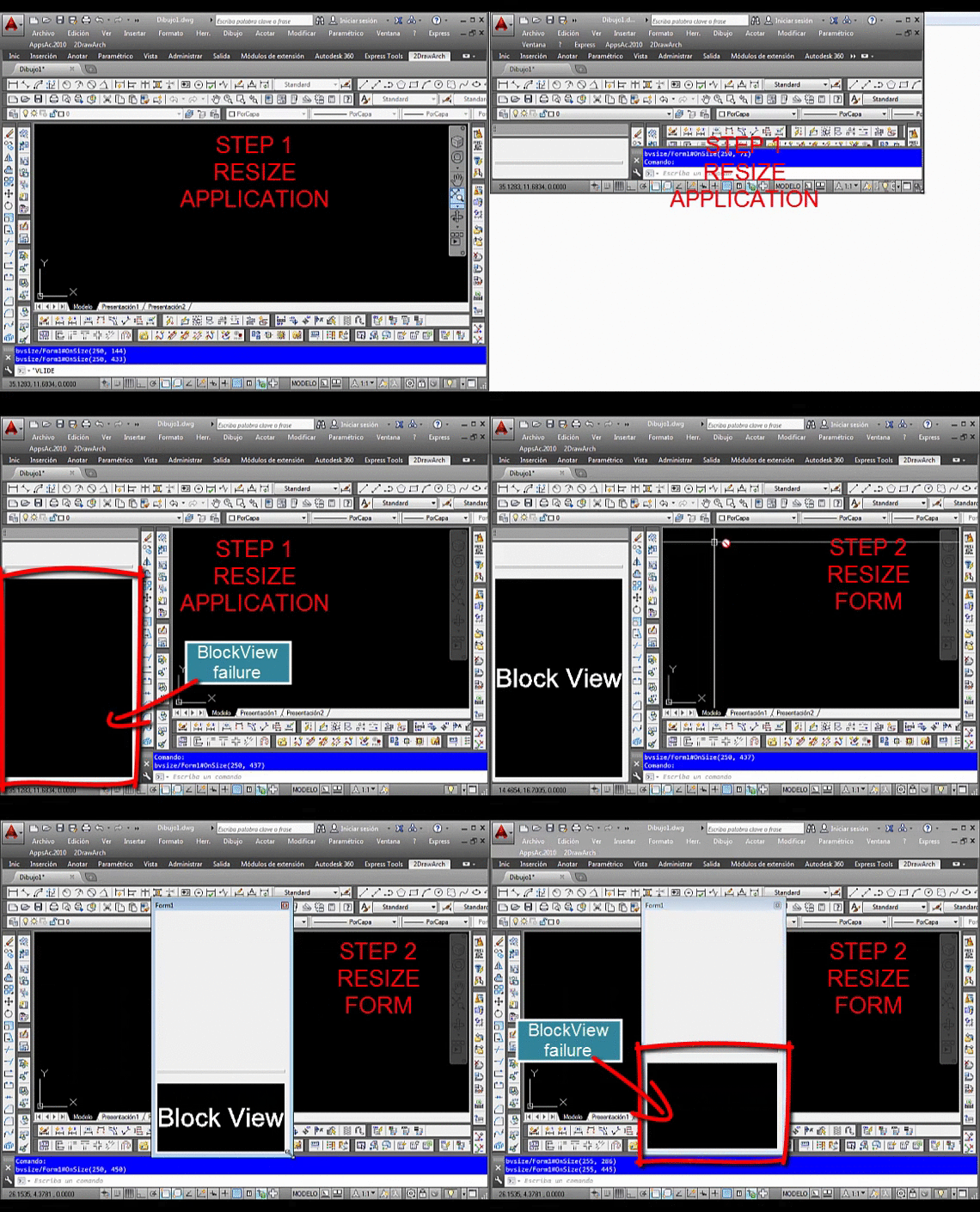
I noticed this:
I've been setting well actually no fault BlockView that minimize to 0, but because it disappears from the screen of the document.
Can this be so?
be set in steps of image:
owenwengerd
2014-01-11 18:12 UTC
Is your form set as resizable? Is the OnSize event for the form or the control?
garcigj
2014-01-11 18:17 UTC
Is the OnSize event for the form
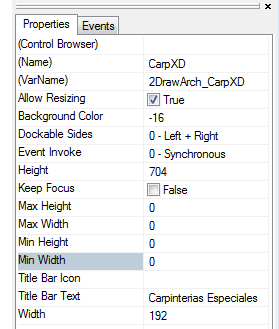
Allow Resizing = true
Owen, I send the form?
owenwengerd
2014-01-11 18:19 UTC
I did a quick test and could not reproduce the problem. Please create a new project with only the minimum required controls and code, and attach it with exact steps needed to reproduce the problem.
garcigj
2014-01-11 18:20 UTC
OK.
garcigj
2014-01-11 19:29 UTC
Owen,
I hope with this you can reproduce the problem
you have to change this path for your path
;;Change this path for why you need
;;Path for proyect:
(defun 2DA-GetPathSupport ()
"E:\\Users\\joseluis\\Pictures\\borrar\\"
)
owenwengerd
2014-01-11 20:11 UTC
Sorry, that project is way too complicated for debugging. I have attached my test project that uses the sample file AllControls.dwg. Please give me the exact steps needed to reproduce the problem, or explain what must be changed for the problem too occur.
garcigj
2014-01-11 21:28 UTC
Sorry the delay, I have gone a moment
Do not touch anything, just try it
owenwengerd
2014-01-11 22:03 UTC
I understood that OnSize is not firing. However, your demo appears to show OnSize firing as expected.
owenwengerd
2014-01-11 22:45 UTC
I put the following in the OnSize handler for my test app and set the splitter's Closest Outside value to 100. This prevents the control from getting to a zero height. I did not test the width, but the same principle can be applied. Maybe this will help you.
(defun c:bvsize/Form1#OnSize (NewWidth NewHeight /)
(if (< NewHeight 200)
(dcl-Control-SetUseBottomFromBottom bvsize/Form1/BlockView1 0)
(progn
(dcl-Control-SetBottomFromBottom bvsize/Form1/BlockView1 5)
(dcl-Control-SetUseBottomFromBottom bvsize/Form1/BlockView1 1)
)
)
)
garcigj
2014-01-11 23:59 UTC
Still not working, I'm a little frustrated, will investigate this a bit more but I think there is no solution.
I will inform the forum if I get some conclusion.
Thanks anyway Owen
owenwengerd
2014-01-12 00:07 UTC
If you want help, I need more information than "not working". Is my sample not working, or is something else not working? It is working for me.
 BlockView1a.gif (2904885 bytes)