Started by kenkrupa ·
2014-03-29 18:59 UTC ·
8 replies · SMF topic #2117
kenkrupa
2014-03-29 18:59 UTC
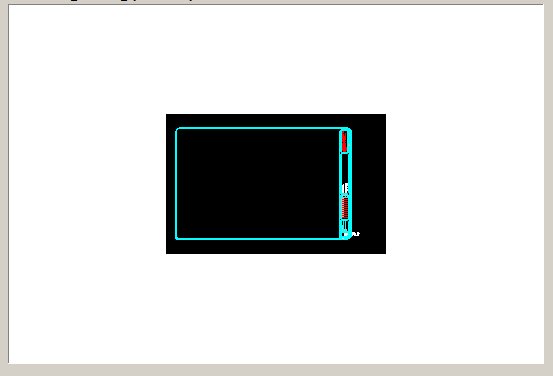
Creating an app to display a selected dwg from a list from a data file. Created a nice big DwgPreview tool, with background color black (Model Space). But the image displayed is much smaller, with the rest of the background turning white! This tool does not seem to have an AutoSize option (like the Picture Box). Am I missing something, or is this a limitation that cannot be overcome?
owenwengerd
2014-03-29 19:11 UTC
Which version of OpenDCL?
kenkrupa
2014-03-29 19:13 UTC
8.0.0.4
owenwengerd
2014-03-29 20:24 UTC
I've done quite a bit of work on that control in 8.0.0.4, so it's very possible that I broke something. Can you attach or email a simple sample that I can use to reproduce the problem?
kenkrupa
2014-03-29 20:53 UTC
Here it is, highly stripped down and hard-coded to display the one dwg sent.
owenwengerd
2014-03-30 16:40 UTC
I took a look at the DwgPreview control code and tested your sample. The control is designed to display the preview bitmap at its saved size unless it must be shrunk to fit (i.e. it is not designed to enlarge, even if there is space). I did some tests, and enlarging is technically possible, but it generally doesn't look very appealing. I've decided to leave the sizing code as it currently works. If you need more fidelity, I recommend to use the Block View control instead.
I have fixed the background color bug for the next build.
roy_043
2014-03-30 17:25 UTC
Perhaps related: After saving the file in BricsCAD V14 the DwgPreview shows inverted colors. I believe that this may be due to the use of a different image format for the preview in BC.
kenkrupa
2014-03-30 17:41 UTC
author=owenwengerd link=topic=2117.msg10519#msg10519 date=1396197644 wrote:
I recommend to use the Block View control instead.
Block View - I never guessed that it would also do drawings. Perfect! Thanks Owen.
owenwengerd
2014-03-30 18:32 UTC
author=roy_043 link=topic=2117.msg10520#msg10520 date=1396200347 wrote:
After saving the file in BricsCAD V14 the DwgPreview shows inverted colors.
Thanks, this should also be fixed in the next build.
 DwgPreview.jpg (12086 bytes)