Dear Fred
Your example does not reflect my need.
I am sending the full sample.
Tetarei detail explain my need.
If you are missing some lisp function, just ask.
The project must be copied to a folder that is
PATH in AUTOCAD.
To start you must open the file TESTE.DWG
Load TESTE.LSP.
Use the syntax:
(Load "teste.lsp")
To start the program type in the AutoCAD command line:
EG
The Grid will be automatically populated.
This is not the problem.
The way I am sending the program it works perfectly
with the exception of navigation between cells of Grid.
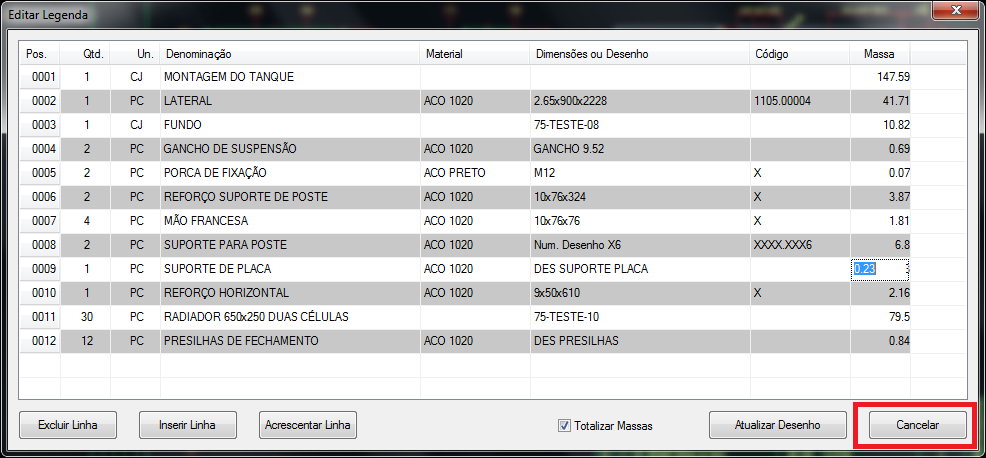
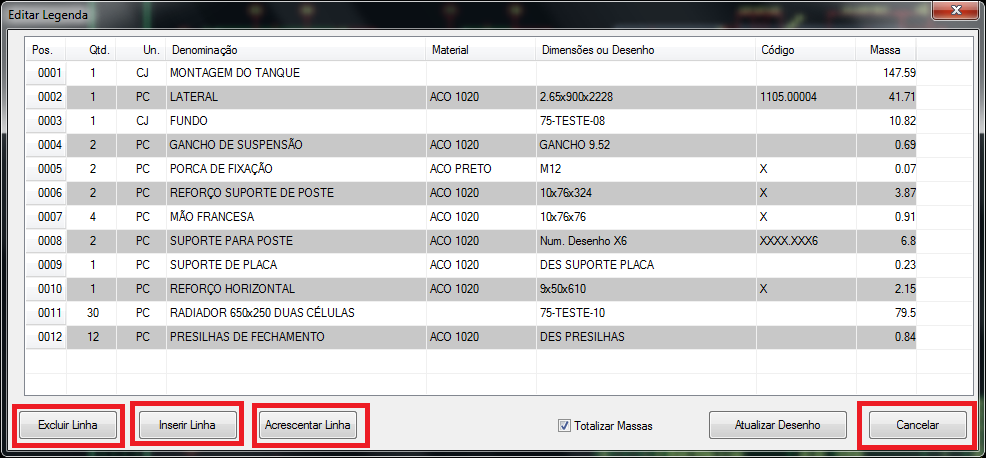
The "Delete Row" buttons, "Insert Row", "Add Line" and "Cancel"
work exactly as I need.
The button "Update Drawing" is beside the point and inhibit some routines
he performed in order to not take them longer.

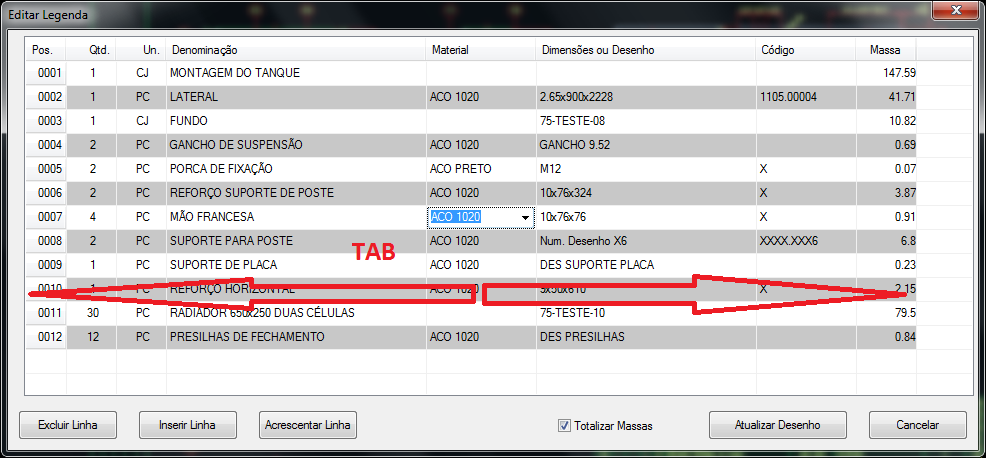
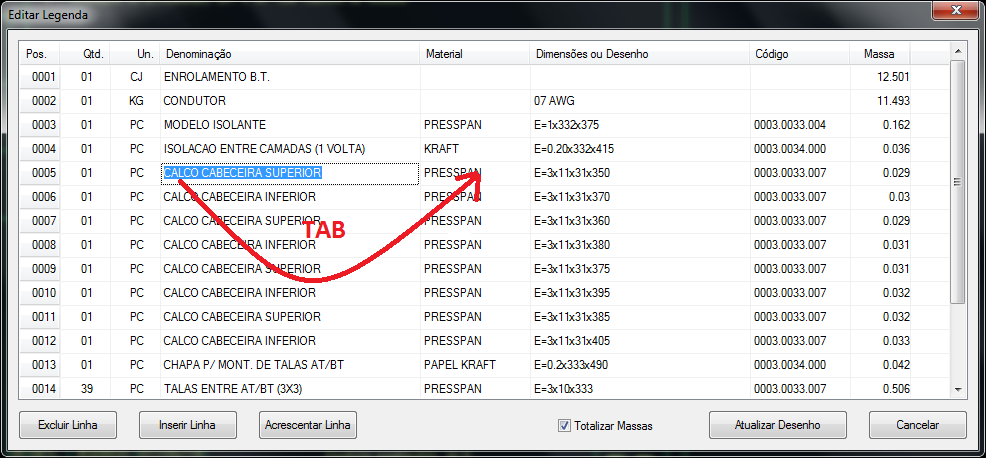
But What do I desire is to move the cursor on the Grid using the key
TAB or Enter key. I was able to do using the TAB key.
For the navigation function will be necessary to remove the
reviews of defun c: DBEngenharia_BCDADOS / Form_Geral / Grid_Legenda # OnEndLabelEdit
Leave it as follows:
(defun c:DBEngenharia_BCDADOS/Form_Geral/Grid_Legenda#OnEndLabelEdit (Row Column / qtd_loc material_loc dimensoes_loc peso_espec qtd_dimensoes
espessura_loc largura_loc comprimento_loc peso_peca diametro_loc
iColunas iLinhas lCelula iRow iColumn)
;direcionar a navegação da grid
(setq iColunas (dcl-Grid-GetColumnCount DBEngenharia_BCDADOS/Form_Geral/Grid_Legenda))
(setq iLinhas (dcl-Grid-GetRowCount DBEngenharia_BCDADOS/Form_Geral/Grid_Legenda))
(setq lCelula (dcl-Grid-GetCurCell DBEngenharia_BCDADOS/Form_Geral/Grid_Legenda))
(setq iRow (car lCelula))
(setq iColumn (cadr lCelula))
;se não estiver na ultima coluna
(if (< iColumn iColunas)
(progn
;;setar a proxima coluna e navegar normalmente semmudar a linha
(setq iColumn (1+ iColumn))
)
(progn
;se for a ultima coluna então vai para a primeira colunha
(setq iColumn 1)
(if (< iRow iLinhas)
(progn
;se for a ultima coluna mas nao a ultima linha então muda de linha
(setq iRow (1+ iRow))
)
(progn
;se for a ultima linha então vai para a primeira linha
(setq iRow 0)
)
) ;;if (< iRow iLinhas)
)
) ;;if (< iColumn iColunas)
(dcl-Grid-StartCellEdit DBEngenharia_BCDADOS/Form_Geral/Grid_Legenda iRow iColumn)
(princ)
)
Run the program by typing
EG
in the AutoCAD command line.
notice that you can now move the Grid using
TAB.
In entando the domouse use was impaired.
The Mouse no longer obeys properly.
By clicking on a column the focus does not remain in the column indicated.
The "Delete Row" buttons, "Insert Row", "Add Line" and "Cancel"
fucnionava that do not work properly anymore.
When I click on "Cancel" the focus of the behavior an Grid
makes the cursor walks cell by cell.
Similar events occur when using the other buttons.
I think that by getting to make a button to work the other
also function properly.
I wish the end rsultado was the grid running
the TAB and the buttons all working properly.
I look forward tips and suggestions.
hugs
Dionei
 tela_01.png (78852 bytes)