Started by Peter2 ·
2016-07-26 17:27 UTC ·
10 replies · SMF topic #2392
Peter2
2016-07-26 17:27 UTC
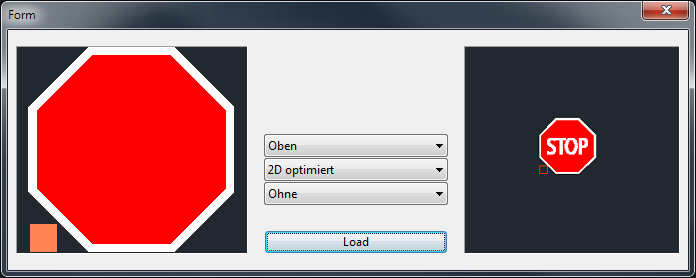
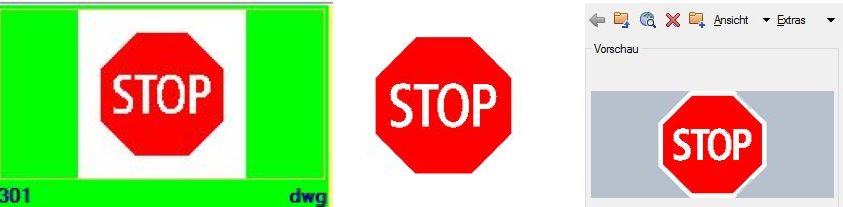
I made some traffic signs, e.g. the "Stop" sign - only red and white hatch pattern ("Solid"). Now I have problems to display it correct - see attachment. It is OK in "DWG Thumbnail" (Explorer) and when opening in AutoCAD and with CAD-viewer from Cadsofttools. Same problems with most of the other signs too - are there any hints to solve it? When creating the drawing I had to use rather often the command "drawing order" ...
I used this code
(dcl-BlockView-DisplayDwg Signaltafel/Signaltafel/SigTaf_Block1 strDwgFileName)
fred_tomke
2016-08-16 11:47 UTC
Yeah, I know this, unfortunately. I had some tests with the render mode property. 2d optimized works at its best for me. The other point was to select the objects in the right order when creating the block: do not select them by window but each single drawing entity beginning in the background (solids) and going to front. The latest entity is the top most element.
Hope the minimizes the effect. Otherwise you have to substract the text's boundary from the background solid. :(
Regards, Fred
Peter2
2016-08-16 12:06 UTC
author=Fred Tomke link=topic=2392.msg12033#msg12033 date=1471348031 wrote:
... the right order when creating the block....
The traffic sign are not blocks inside a DWG, they are single DWGs for its own (see attachment above) - with some problems of drawing order too ...
fred_tomke
2016-08-16 13:46 UTC
Hi, I've created a sample and added a ticket. Please note (but I'm sure you already know this), that FileExplorer and DWGPreview are using the thumbnail while BlockView is using GSView. I recommend you to use DWGPreview instead of BlockView for symbol libraries.
Regards, Fred
Peter2
2016-08-17 07:31 UTC
Thanks Fred
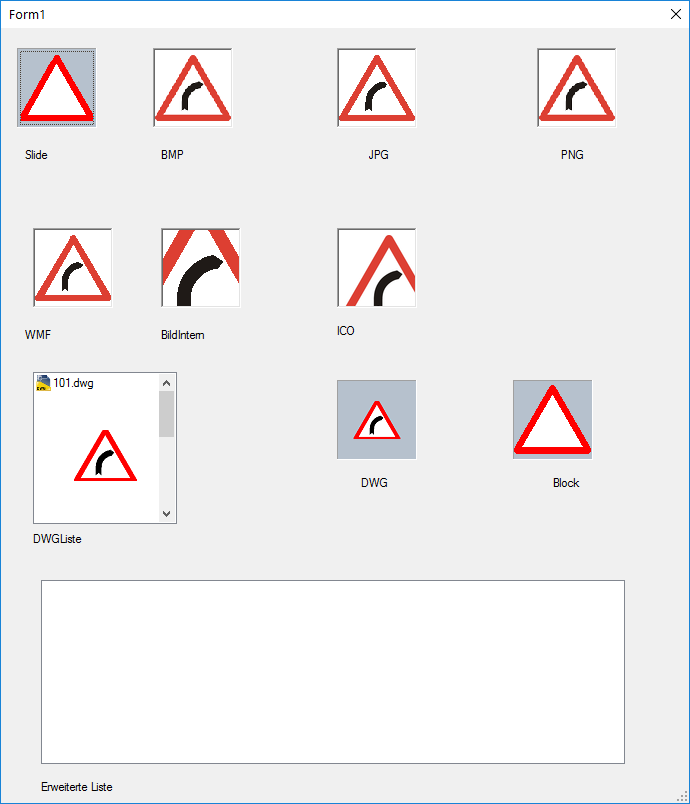
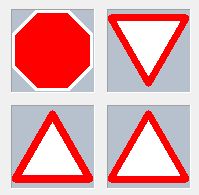
I made a dialogue with displays all current types of display - see attachment. The problem of DWGview and DWGListe is the huge unused / wasted area:
roy_043
2016-08-17 11:46 UTC
You can solve the issue by changing the 'hard order' (the order in which the entities have been created). To do this manually you would have to create in-place copies of entities in the right order and then erase the originals. This would not be easy and you would probably lose some associativity. But with some Lisp code you can automate this process:
; (KGA_Block_DrawOrder_To_HardOrder (vla-get-modelspace (vla-get-activedocument (vlax-get-acad-object))))
(defun KGA_Block_DrawOrder_To_HardOrder (blkObj / newLst oldLst sortArr sortTblObj)
(if
(and
(= :vlax-false (vla-get-isxref blkObj))
(= :vlax-true (vla-get-hasextensiondictionary blkObj))
(not
(vl-catch-all-error-p
(setq sortTblObj
(vl-catch-all-apply
'vla-item
(list (vla-getextensiondictionary blkObj) "ACAD_SORTENTS")
)
)
)
)
)
(progn
(vla-getfulldraworder sortTblObj 'sortArr :vlax-false)
(setq oldLst (mapcar 'vlax-variant-value (vlax-safearray->list sortArr)))
(if (setq newLst (vlax-invoke (vla-get-database blkObj) 'copyobjects oldLst))
(mapcar 'vla-delete oldLst)
)
newLst
)
)
)
fred_tomke
2016-08-18 20:29 UTC
Hi,
unfortunately, I had some troubles in the past with the ACAD_SORTENTS-Diactionary: in many cases the order of entities in the list did not match to the current drawingorder.
Peter, do you remember
{2}? There you can see a sample using DWGPreview. The key is to place the model correctly in the moment before saving the "symbol" to get the right preview.
Regards, Fred
Peter2
2016-08-18 20:56 UTC
I used the current project with the display of existing WMF, but for further projects it could be important again.
author=Fred Tomke link=topic=2392.msg12049#msg12049 date=1471552196 wrote:
...to place the model correctly in the moment before saving the "symbol" to get the right preview.
...
You mean that I have to fit the size of my Acad-window to the proportion of the drawing, so for my traffic-signs I need a window with width=height (proportion = square)?
fred_tomke
2016-08-19 04:43 UTC
No, I meant it right inversely: zoom to the extents of the symbol before saving. But you are right: resizing AutoCAD window that the ratio of the window is equal to the symbol could help.
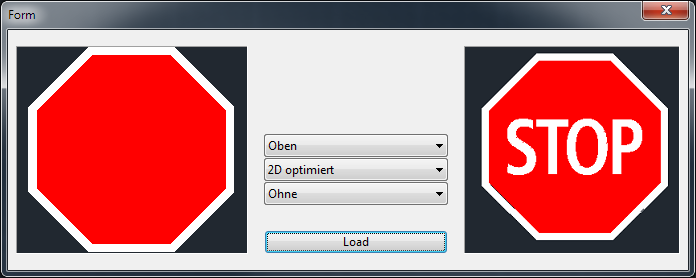
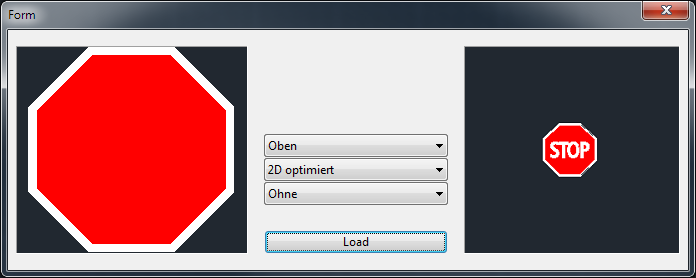
The both pictures demonstrate it quite well: for the first one I zoomed to the symbol's extents right before saving.
Regards, Fred
roy_043
2016-08-19 07:32 UTC
author=Fred Tomke link=topic=2392.msg12049#msg12049 date=1471552196 wrote:unfortunately, I had some troubles in the past with the ACAD_SORTENTS-Diactionary: in many cases the order of entities in the list did not match to the current drawingorder.
I use BricsCAD and I have not come across any issues with the ACAD_SORTENTS dictionary. I believe Peter2 uses BricsCAD as well.
Peter2
2016-08-19 08:21 UTC
author=roy_043 link=topic=2392.msg12053#msg12053 date=1471591952 wrote:
.. I believe Peter2 uses BricsCAD as well.
Yes, I use (develop for ..) both AutoCAD and BricsCAD.
 stop_other-software.jpg (25834 bytes)
 stop_opendcl.jpg (15256 bytes)