ListView and Alignment

Started by velasquez · 2019-03-05 14:16 UTC · 4 replies · SMF topic #2654

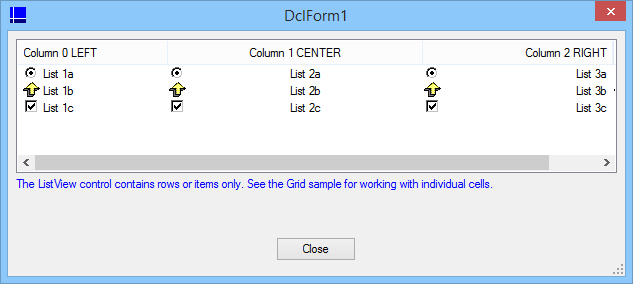
I've worked with the ListView.lsp and ListView.odcl files from the OpenDCL Studio samples to test the alignment of the images in ListView.

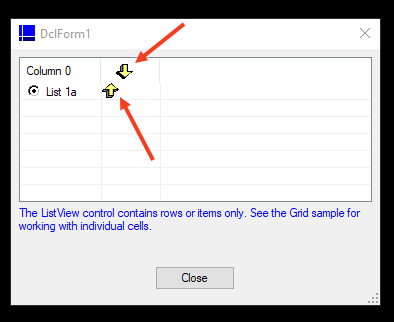
The problem is that I could not "CENTRALIZE" the images in a column, I used column 1 to test.
Here is the part of the .lsp file I modified and an image showing the problem.
Can someone please help me with this?


;|
Attachments
Hi  velasquez,

I have not used ListView in OPENDCL control so far,But in the grid control I've used the following code repeatedly :


; use this in OnInitialize method

(DCL-GRID-ADDCOLUMNS
    My_Project/Form1/Grid1
    (LIST (LIST "  NO  " 1 20)
  (LIST "  X  " 1 70)
  (LIST "  Y  " 1 80)
  (LIST "  Z  " 1 40)
  (LIST "  L  " 1 40)
  (LIST "  CODE  " 1 20)
  (LIST "  XX  " 1 70)
  (LIST "  YY  " 1 80)
    ) ;_ end of list
  ) ;_ end of dcl-Grid-AddColumns
  (DCL-CONTROL-SETCOLUMNALIGNMENTLIST
    My_Project/Form1/Grid1
    (LIST 1 1 1 1 1 1 1 1)
  ) ;_ end of dcl-Control-SetColumnAlignmentList


Try, maybe it will help !
author=Nima2018 link=topic=2654.msg13136#msg13136 date=1551804369 wrote:

Hi  velasquez,

I have not used ListView in OPENDCL control so far,But in the grid control I've used the following code repeatedly :


; use this in OnInitialize method

(DCL-GRID-ADDCOLUMNS
    My_Project/Form1/Grid1
    (LIST (LIST "  NO  " 1 20)
  (LIST "  X  " 1 70)
  (LIST "  Y  " 1 80)
  (LIST "  Z  " 1 40)
  (LIST "  L  " 1 40)
  (LIST "  CODE  " 1 20)
  (LIST "  XX  " 1 70)
  (LIST "  YY  " 1 80)
    ) ;_ end of list
  ) ;_ end of dcl-Grid-AddColumns
  (DCL-CONTROL-SETCOLUMNALIGNMENTLIST
    My_Project/Form1/Grid1
    (LIST 1 1 1 1 1 1 1 1)
  ) ;_ end of dcl-Control-SetColumnAlignmentList


Try, maybe it will help !


Thanks Nima, with Grid Control works fine, I did not understand the ListView control.
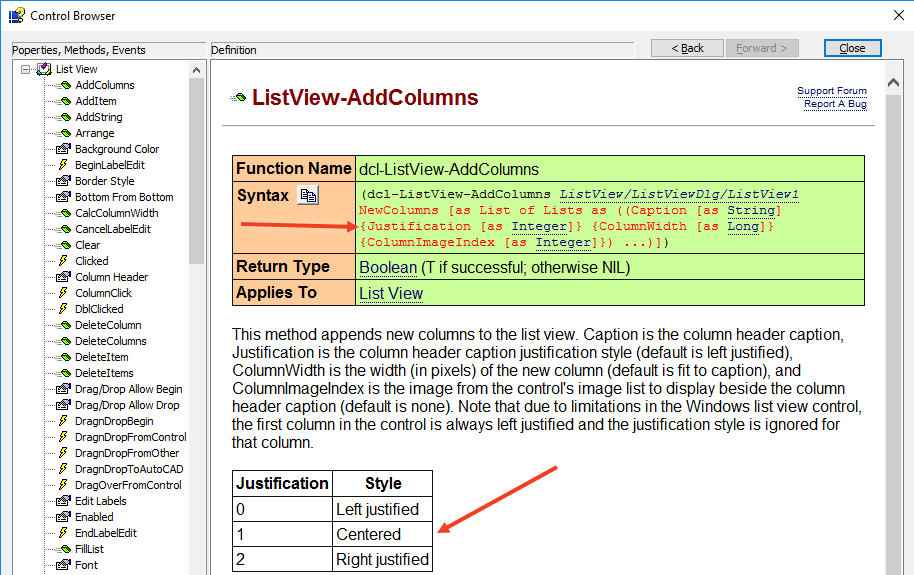
As far as I can tell the alignment is only applied to the text.
Attachments
author=roy_043 link=topic=2654.msg13138#msg13138 date=1551890123 wrote:
As far as I can tell the alignment is only applied to the text.


Thanks Roy
I believed that the alignment was for the entire contents of the cell.
For me the effect of this separation is very strange.
I'll try to work with Grid Control