2024-05-25 10:04 UTC
When testing OpenDCL Studio 9.2.3.1 ENU version, i notice something about Splitter Control works not well.
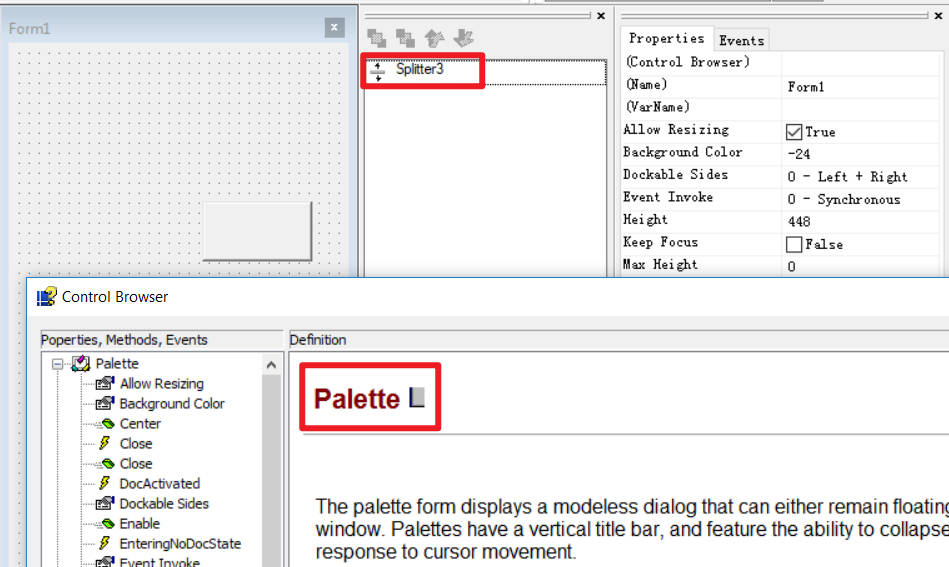
1. If double click the splitter, the control brower appears, but it shows the palette.
2. If select the splitter by single click , it won't choose it. It seems the splitter should be chosen by draw a chosen area, just like select objects by a rectangle in AutoCAD.
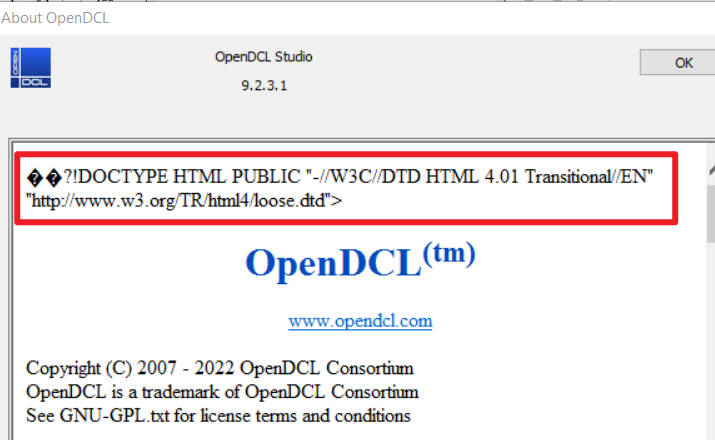
By the way, in the menu of OpenDCL , if i click the "About OpenDCL" in HELP, the "About OpenDCL" brower shows the first few rows, which seems abnormal.
Following are the images.
1. If double click the splitter, the control brower appears, but it shows the palette.
2. If select the splitter by single click , it won't choose it. It seems the splitter should be chosen by draw a chosen area, just like select objects by a rectangle in AutoCAD.
By the way, in the menu of OpenDCL , if i click the "About OpenDCL" in HELP, the "About OpenDCL" brower shows the first few rows, which seems abnormal.
Following are the images.
Attachments
 Snipaste_2024-05-25_17-47-25.jpg (89085 bytes)
 Snipaste_2024-05-25_18-03-35.jpg (48729 bytes)