dhopp
2008-12-08 21:23 UTC
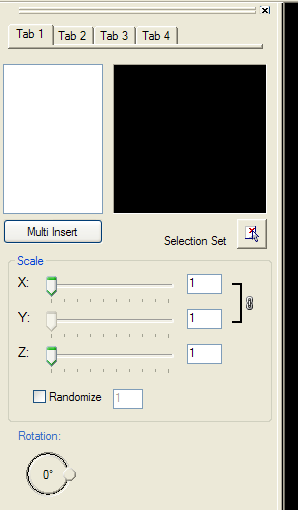
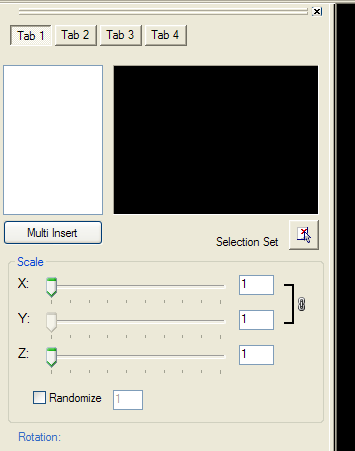
has a tab strip with 8 tabs, looking to be able to pick several blocks, create a list, then insert them in the order I picked them. Is there any sample code you could recommend for me, I want to figure this out and learn...not have someone build this for me.
thanks
D
bazzacad
2008-12-08 21:29 UTC
Have you recreated the palette from the class handout yet?
That would be a good place to start then modify it from there...
dhopp
2008-12-08 21:39 UTC
not yet running out of time today, did the hello world example though
got this far playing around
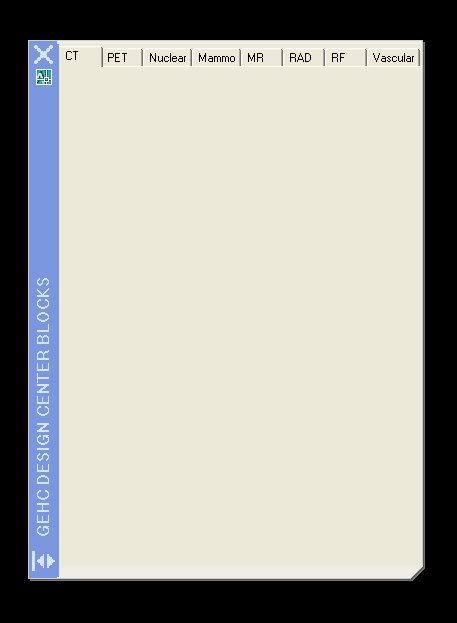
I think the best way to work this is to make one tab work like I want, then copy and edit to rest of tabs...please correct me if I wrong or if you have a better idea
dhopp
2008-12-08 21:43 UTC
the good news is I can work on this at home as well
bazzacad
2008-12-08 22:22 UTC
author=dhopp link=topic=504.msg2250#msg2250 date=1228772392 wrote:
I think the best way to work this is to make one tab work like I want, then copy and edit to rest of tabs...please correct me if I wrong or if you have a better idea
That sounds good.
What will each tab do?
owenwengerd
2008-12-08 22:28 UTC
If all your tabs will use the same interface, you might consider making the tab control short so that it consists of the tabs only, then putting the other controls below the tab control. This way you will only have one instance of the controls instead of separate instances for each tab.
dhopp
2008-12-09 13:25 UTC
author=BazzaCAD link=topic=504.msg2253#msg2253 date=1228774936 wrote:
[quote author=dhopp link=topic=504.msg2250#msg2250 date=1228772392]
I think the best way to work this is to make one tab work like I want, then copy and edit to rest of tabs...please correct me if I wrong or if you have a better idea
That sounds good.
What will each tab do?
Each tab is for a specific medical product, there will be a list of conduit legend blocks specific to each product on there respective tab. What I hope to do is have the user select the legends they need, each selection adds the block to a list. When done they hit insert, and the blocks get inserted based on the list they created.
dhopp
2008-12-09 13:26 UTC
author=owenwengerd link=topic=504.msg2255#msg2255 date=1228775336 wrote:
If all your tabs will use the same interface, you might consider making the tab control short so that it consists of the tabs only, then putting the other controls below the tab control. This way you will only have one instance of the controls instead of separate instances for each tab.
example please...newbie here ???
bazzacad
2008-12-09 20:03 UTC
author=dhopp link=topic=504.msg2264#msg2264 date=1228829211 wrote:
example please...newbie here ???
Owen's saying if you're going to have the same controls on all your tabs then just have a short TabStrip (about 25 height) then put the controls on the main palette & not on each tab.
Or you could change the Tab Style to buttons & it will look a little better.
But if you're going to have different controls on each tab, then just forget about all this... :)
dhopp
2008-12-10 14:00 UTC
author=BazzaCAD link=topic=504.msg2273#msg2273 date=1228853007 wrote:
[quote author=dhopp link=topic=504.msg2264#msg2264 date=1228829211]
example please...newbie here ???
Owen's saying if you're going to have the same controls on all your tabs then just have a short TabStrip (about 25 height) then put the controls on the main palette & not on each tab.
Or you could change the Tab Style to buttons & it will look a little better.
But if you're going to have different controls on each tab, then just forget about all this... :)
gotcha