Started by velasquez ·
2009-06-04 12:09 UTC ·
14 replies · SMF topic #786
velasquez
2009-06-04 12:09 UTC
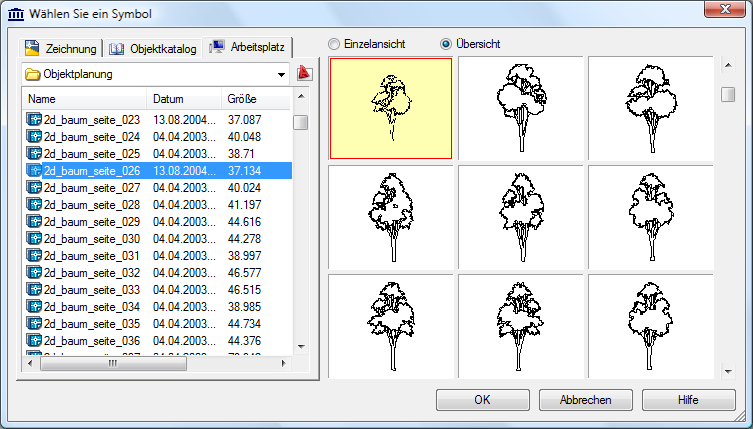
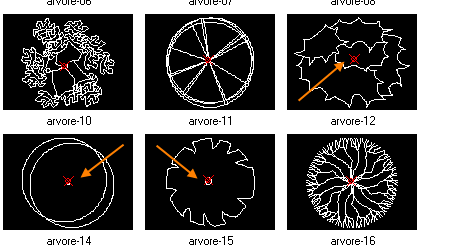
I know a program that management the drawings of a directory he has the characteristic below.
*Insertion points plows displayed it goes drawings with images.
See the image.
Would it be possible to create some thing similar to OpenDCL?
fred_tomke
2009-06-04 16:22 UTC
Hi, velasquez, I've made something similar.
Fred
velasquez
2009-06-04 17:21 UTC
Hi Fred,
You didn't understand well.
I am talking about the red points in the drawing.
They show the basepoint of the drawing.
The same gotten with (getvar " insbase ").
bazzacad
2009-06-04 17:41 UTC
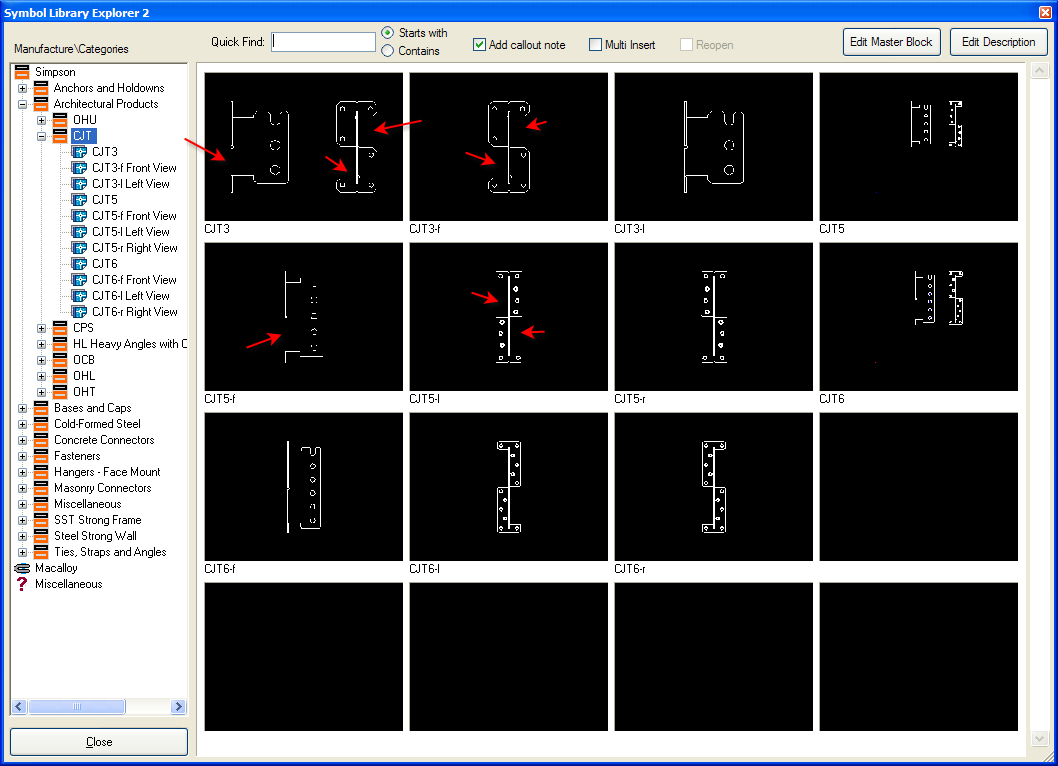
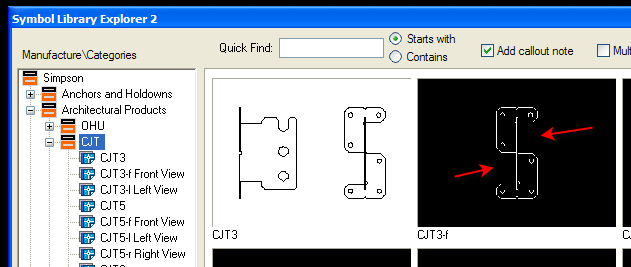
Yes I've been thinking the same thing.
I'd like the insertion point shown for the Dwg Preview control also.
Like this:
{2}
bazzacad
2009-06-04 17:49 UTC
Fred, how do you get your DWG Previews looking so good (or are you using the BlockView)?
Mine always look like #$^&%$#, with random missing lines.
I'm wondering if it's an aspect ration thing.....
fred_tomke
2009-06-04 18:23 UTC
Hi, guys,
@velasquez, sorry for my misinterpretation. I've already had the feeling that you meant the red point. But I have no idea how to point it out, especially in a isometric or perspective view. There are flying two ideas through my mind - not nice but they should work:
1. Create slides for each symbol with a point for insbase. Show a slide instead of each drawing in the form.
2. When you want to show the dwg-files in the preview then you have to save the block with a point object at insbase which is created on a layer which is off in the drawing where the block shall be inserted to. In this case the block has a point in the preview but not in the drawing.
The third idea to overlay the dwgpreview with a transparent image with a drawn circle and cross at the computed position of insbase of the shown block behind is so heavy this kind as I will leave it out to mention. ;)
@Barry: try backcolor 7 of dwgpreview instead. As you can see in my screenshot the highlighted preview uses no backcolor 7 and looks much worse than the previews with backcolor 7.
Fred
bazzacad
2009-06-04 21:49 UTC
author=Fred Tomke link=topic=786.msg3889#msg3889 date=1244139793 wrote:
@Barry: try backcolor 7 of dwgpreview instead. As you can see in my screenshot the highlighted preview uses no backcolor 7 and looks much worse than the previews with backcolor 7.
Hmmm, you're right. 7 looks much better.
Owen why is this?
Should I report a bug?
owenwengerd
2009-06-05 02:10 UTC
I have no idea why that is. Yes, report it as a bug, and attach a simple sample that demonstrates it. I'm not sure what can be done about it, but at least it will be logged.
fred_tomke
2009-06-05 05:51 UTC
Hi, Barry and Owen, I'm afraid that it has its reaon in the dwgthumbnail-control. We also use the ActiveX control DWGThumbnail in forms made in VisualObjects (a development platform like Delphi). There we have similar problems. I also tried to use the DWGThumbnail control as ActiveX control with ObjectDCL with similar problems. In the end I gave up and I use white backcolor throughout the product.
Fred
bazzacad
2009-06-05 17:58 UTC
I've updated this bug report:
{2}
I wonder what control CADfx & velasquez program is using...
bazzacad
2009-06-05 18:40 UTC
Would (acdbGetPreviewBitmapFromDwg) work better then (acdbDisplayPreviewFromDwg) as our buddy Tony suggests here:
{2}
It's all Greek to me.... :)
owenwengerd
2009-06-08 01:30 UTC
I tried to duplicate the functionality of acdbDisplayPreviewFromDwg by extracting the bitmap with acdbGetPreviewBitmapFromDwg, but I haven't been successful. The acdbDisplayPreviewFromDwg function inverts the blacks and whites in the preview bitmap when it detects a black background, but try as I might, I could not figure out how to reproduce that behavior with bitmap manipulations.
bazzacad
2009-06-08 16:32 UTC
OK thx for trying.
velasquez
2009-06-10 21:06 UTC
Hi Bazz
Can you post the drawings that you show in your code?
Thanks
bazzacad
2009-06-10 22:29 UTC
author=velasquez link=topic=786.msg3962#msg3962 date=1244667970 wrote:
Hi Bazz
Can you post the drawings that you show in your code?
Thanks
There are over 5000 of them & I don't think Simpson would like me taking created for them.
But you can download them here:
{2}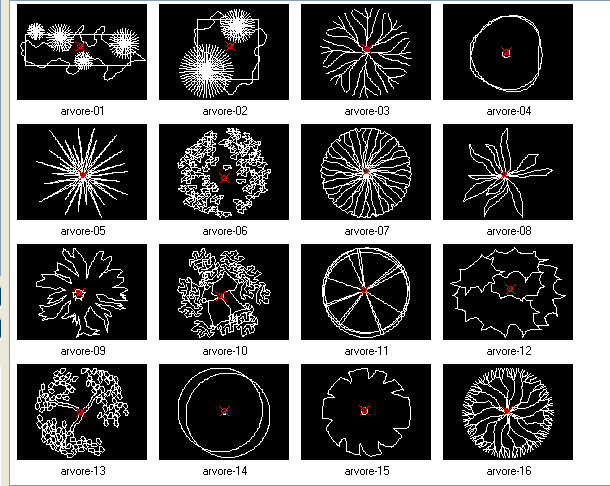 Insertion points.png (26001 bytes)