2009-06-04 16:35 UTC
Hello
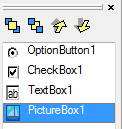
How can I put labels controls on images without they "disapears" behing the picture box ?
I tried Ztab order but it is without effect when the form loads.
I tried also label.refresh in the "On paint " event of the picture box, but the label becomes unstable (It shakes)
Thanks for your help
Copter.
How can I put labels controls on images without they "disapears" behing the picture box ?
I tried Ztab order but it is without effect when the form loads.
I tried also label.refresh in the "On paint " event of the picture box, but the label becomes unstable (It shakes)
Thanks for your help
Copter.