Hi, velasquez,
To create such a SVN project folder (I call it this way) you have to do the following steps:
- Download
TortoiseSVN (it's one of many SVN products) at:
{2} and install it.
- Create a folder on you data harddisk
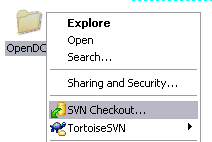
- Rightclick on the folder and select
SVN Checkout... from context menu.
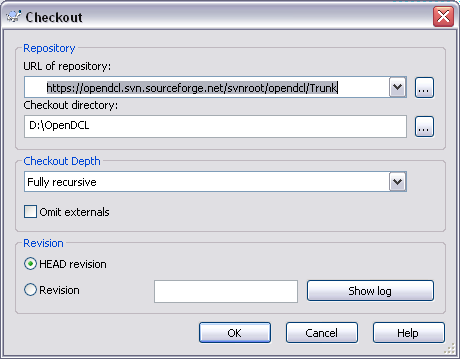
- Input the address
https://opendcl.svn.sourceforge.net/svnroot/opendcl/Trunk and select
Fully recursive.
- Click
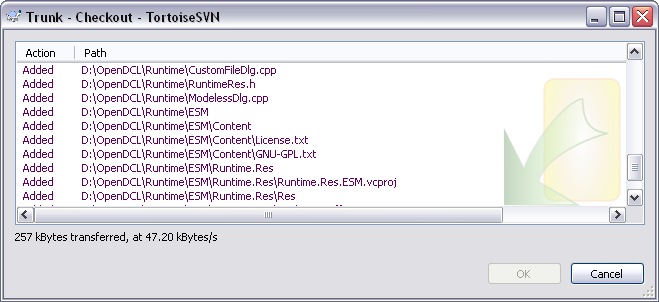
OK and wait a while. The first checkout may take you up to 6 minutes until downloading has finished completely.
After a new release has been published you can download the newly changed or created files or delete file which are not neccessary in future.
- Search for your OpenDCL-SVN-folder.
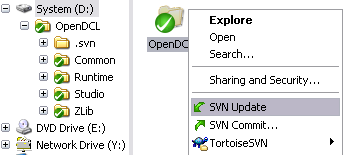
- Rightclick on the folder and select
SVN Update from context menu.
- The new files are downloaded now.
Fred
 svn_002.png (3690 bytes)
 svn_003.png (11969 bytes)
 svn_004.png (22375 bytes)
 svn_007.png (8699 bytes)