Boards /
Studio/Dialog Editor /
Topic 913
PictureBox Enabled False
Started by velasquez ·
2009-09-11 18:15 UTC ·
20 replies · SMF topic #913
velasquez
2009-09-11 18:15 UTC
Hi Owen
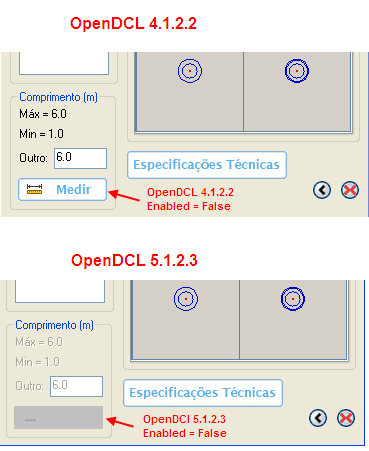
In OpenDCL 5.1.2.3 the property Enabled equal the false in PictureBox destroys the quality of the image and it creates a bad visual effect.
This doesn't happen in OpenDCL 4.1.2.2.
Cannot this process be maintained in the current version?
I posted an image to show this.
owenwengerd
2009-09-12 19:24 UTC
There may be some room for improvement in the algorithm that paints the "disabled" version of the image. Can you attach (or email) a sample project that demonstrates the problem?
velasquez
2009-09-12 20:55 UTC
I sent an e-mail to you in 10/092009 with the files that show the problems with the current version.
I am I am sending again today for the address owenw@manusoft.com.
DuctilCAD-2009.zip and DuctilCAD-2010.zip
velasquez
2009-09-12 21:08 UTC
owenwengerd
2009-09-13 23:51 UTC
I've looked at your files. I see that you have many picture boxes disabled, but the ones I noticed all look pretty much as I expected. What exactly am I supposed to do or see?
velasquez
2009-09-14 11:51 UTC
Excuse me Owen,
Didn't I understand your question?
Did you test my files in OpenDCL 4.1.2.2 and OpenDCL 5.1.3?
You will see that things that worked well in the old version don't work in the current version.
Thanks
owenwengerd
2009-09-14 15:31 UTC
I only tested your files with 6.0.0.3. Everything I tested appeared to work correctly.
velasquez
2009-09-16 17:27 UTC
Hi Owen
Please when you will again be able to test my files click on the image while the form SplashForm is exhibited and see the strange behavior.
owenwengerd
2009-09-16 19:27 UTC
Please define what you mean by "strange behavior". To you it may be obvious, but it is not obvious to me.
velasquez
2009-09-16 20:31 UTC
OK OWEN,
1 - it executes the file that I sent you.
2 - Click in the image of SplashForm while she appears.
This will work an event of a PictureBox in a form that was not still called.
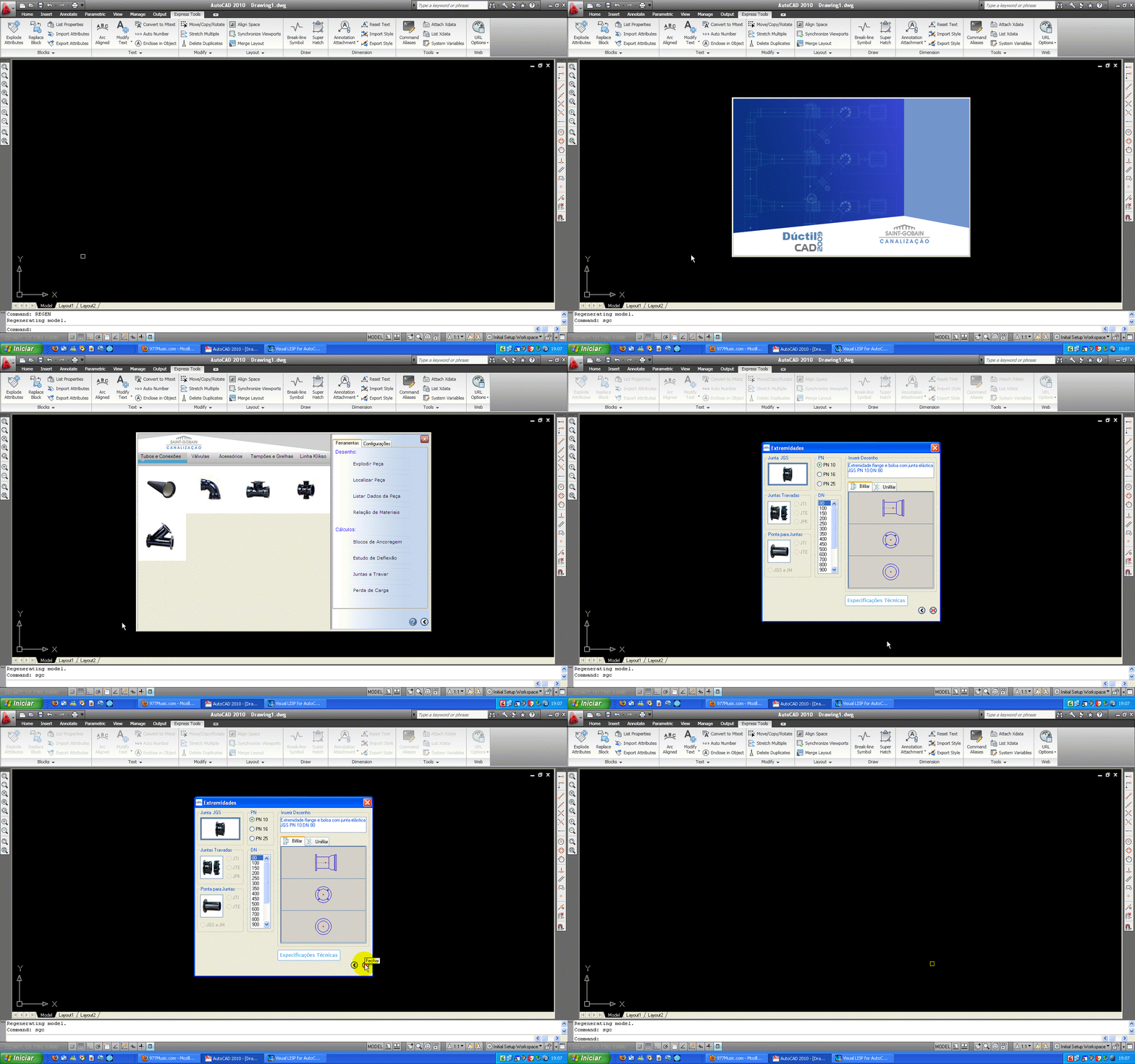
I posted the image of SplasForm.
velasquez
2009-09-16 22:39 UTC
Hi Owen
I posted an image showing what happens when the user click in the image of SplasForm.
The event of OnClicked doesn't exist in PictureBox.
Thanks
owenwengerd
2009-09-17 08:51 UTC
Are you referring to the problem of the mouse button release being registered as a click on the dialog that is displayed after the splash dialog is closed? I think I already fixed that in 6.0.
velasquez
2009-09-17 18:43 UTC
Hi Owen,
This probleam continues with OpenDCL 6.0.0.4.
owenwengerd
2009-09-17 19:24 UTC
I am unable to reproduce this in AutoCAD 2008 with DuctilCAD-2010.lsp. When I press on the splash screen, it remains on the screen until I release the mouse button.
velasquez
2009-09-17 20:50 UTC
I don't know if the probleam this in the version of AutoCAD but it happens with AutoCAD 2009 and AutoCAD 2010.
owenwengerd
2009-09-18 06:00 UTC
I could not reproduce the problem in AutoCAD 2010 either.
velasquez
2009-09-18 12:28 UTC
Please tell me that form is shown after you click on the splash screen.
owenwengerd
2009-09-18 15:03 UTC
The splash screen remains on the screen unless I've enabled one of the events like OnClicked or OnDblClicked for the splash screen picture box control. If I enable e.g. OnDblClicked for the picture box (so that it behaves like a button), the splash screen disappears and I release the button after the next form is displayed.
velasquez
2009-09-18 19:29 UTC
Ok Owen,
In my versions of same AutoCAD with OnClicked i
ncapacitated OnDblClicked the splash screen PictureBox behaves like the button.
As my image lively display is enough you to press and to release the button.
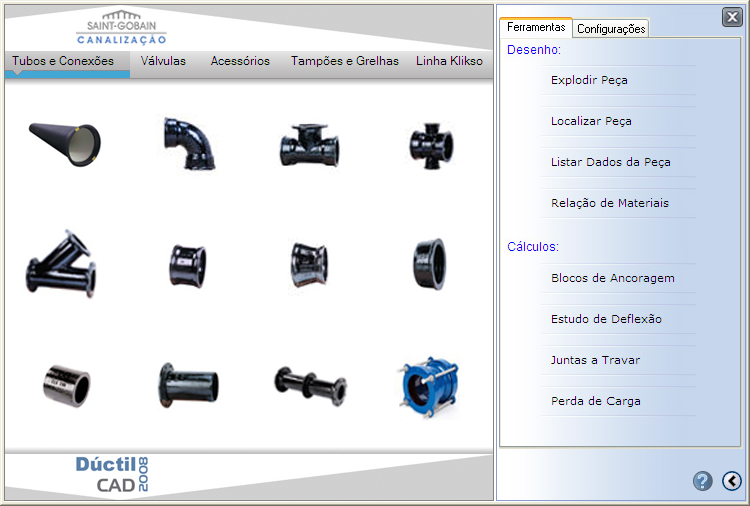
The only form that should appear later in any situation is the one that this in the image below.
And this doesn't happen.
I don't know how to explain and I asked for a help Fred.
owenwengerd
2009-09-18 20:48 UTC
Perhaps it would help if you create a new project with only the minimum controls and code to reproduce the problem.
velasquez
2009-09-18 22:56 UTC
OK Owen,
I will work with this.
Thanks
 PictureBoxEnabledFalse.png (26437 bytes)